
Right Pyramid Construction by j.benjamin
Loading the math board and drawing, please wait…
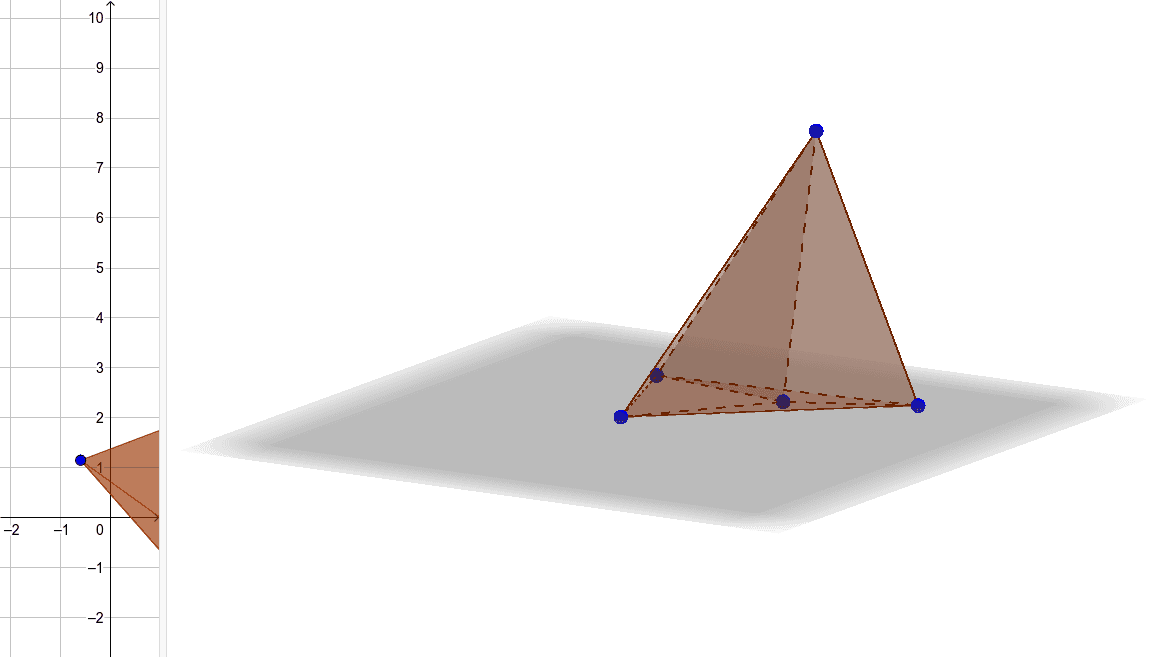
This example demonstrates the 3D geometric construction and visualization of a right pyramid. It involves core math concepts like solid geometry, trigonometry, and coordinate geometry. The construction uses the Pyramid command, defining vertices A, B, C, D and base a, along with multiple faces (faceABC, faceBCD), edges (edgeBC, edgeAB_1), and auxiliary points (E, b). Suitable for high school geometry education and 3D shape comprehension.
GeoGebra Commands & Parameters
Pyramid(C, B, A, D) → a, faceABC, edgeAD, faceBCD, faceABD, faceACD, edgeBC, edgeAB_1, edgeAC_1, edgeCD_1, edgeBDPyramid(E, D, C, A, B, E) → b, faceABEDC, edgeAB, edgeBE, edgeEE, edgeDE, edgeCE, edgeAE, edgeBE, faceDEE, faceCDE, faceACE, faceABE, faceBEE, edgeDE, edgeCD, edgeAC
AI Drawing Prompt Reference
Draw a right pyramid with a square base ABCD and apex E. First, define the four vertices of the base A, B, C, D, then define the apex E. Use these points to construct the pyramid, including five faces (ABCD, ABDE, BCDE, ACDE, ADCE) and eight edges (AB, BC, CD, DA, AE, BE, CE, DE).
The prompt above was compiled from the original drawing commands and is for reference only.