
Right and Oblique Prisms
Loading the math board and drawing, please wait…
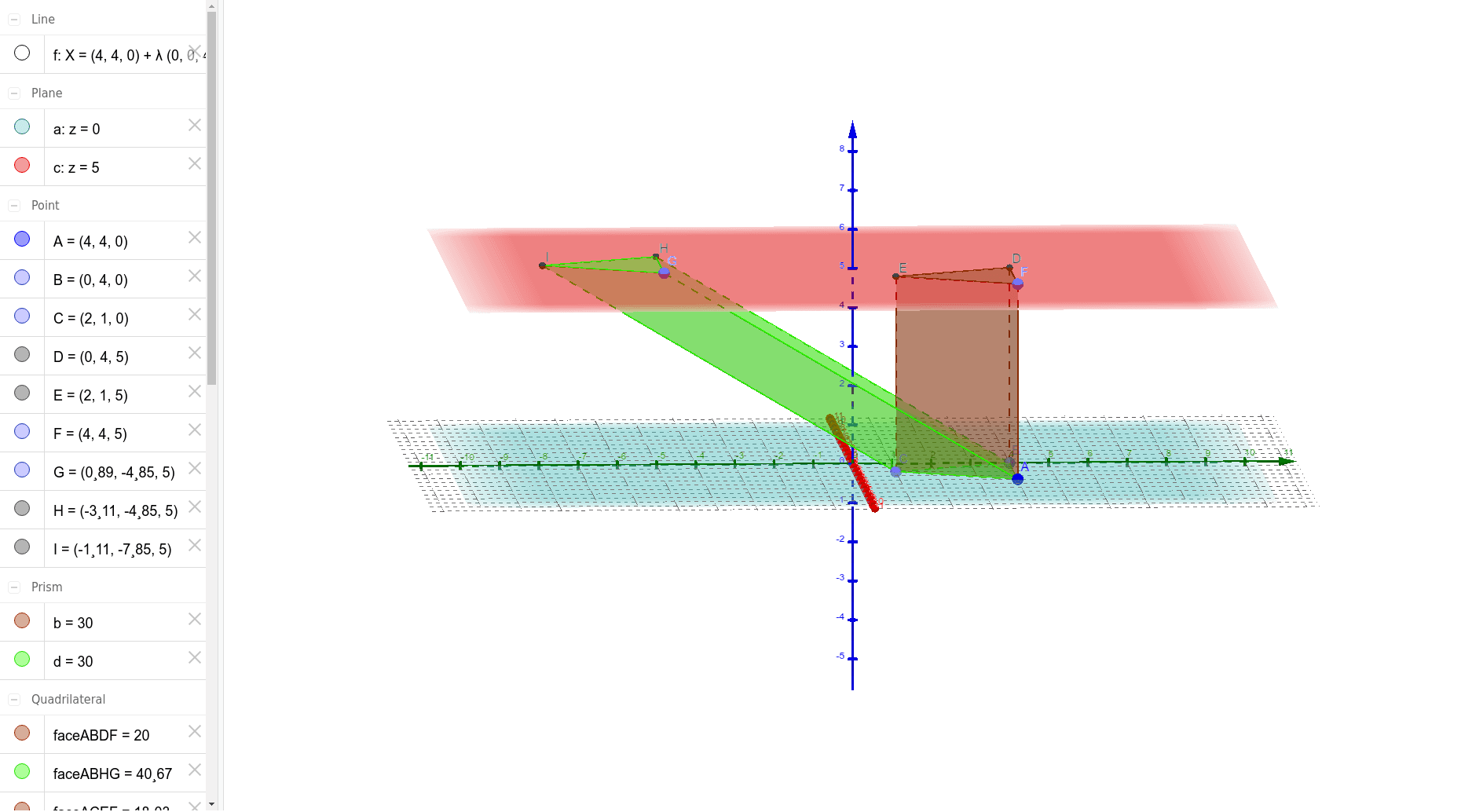
This example demonstrates the geometric construction and differences between right and oblique prisms. Key math concepts include prism definitions, face and edge relationships, and properties of spatial geometric solids. Construction highlights involve using commands like Plane, OrthogonalLine, PointIn, Prism to create basic elements such as points, lines, faces, and edges. Suitable for high school solid geometry teaching or self-study to understand geometric features of different prisms.
GeoGebra Commands & Parameters
Plane(A, xAxis) → aOrthogonalLine(A, a) → fPointIn(a) → BPointIn(a) → CPrism(A, B, C, F) → b, D, edgeAC, edgeAF, edgeBD, edgeCE, edgeDF, edgeDE, edgeEF, E, faceABC, faceABDF, faceBCED, faceACEF, faceDEF, edgeAB, edgeBCPlane(faceDEF) → cPointIn(c) → GPrism(faceABC, G) → d, H, edgeGH, edgeHI, edgeGI, I, faceABHG, faceBCIH, faceACIG, faceGHI, edgeAG, edgeBH, edgeCI
AI Drawing Prompt Reference
Draw a right prism and an oblique prism to demonstrate their geometric constructions and differences. Start by identifying a point on the x-axis and draw a line perpendicular to the x-axis through this point, marking two points on the line. Construct a right prism using these points and the point on the x-axis as the base vertices, labeling its faces and edges. Then, identify a point on one of the side faces of the right prism and extend the plane of the base upward using this point as the apex to form an oblique prism, also labeling its faces and edges for comparison.
The prompt above was compiled from the original drawing commands and is for reference only.