
Rhombus Template: Scaffolded Investigation for Discovering Properties
Loading the math board and drawing, please wait…
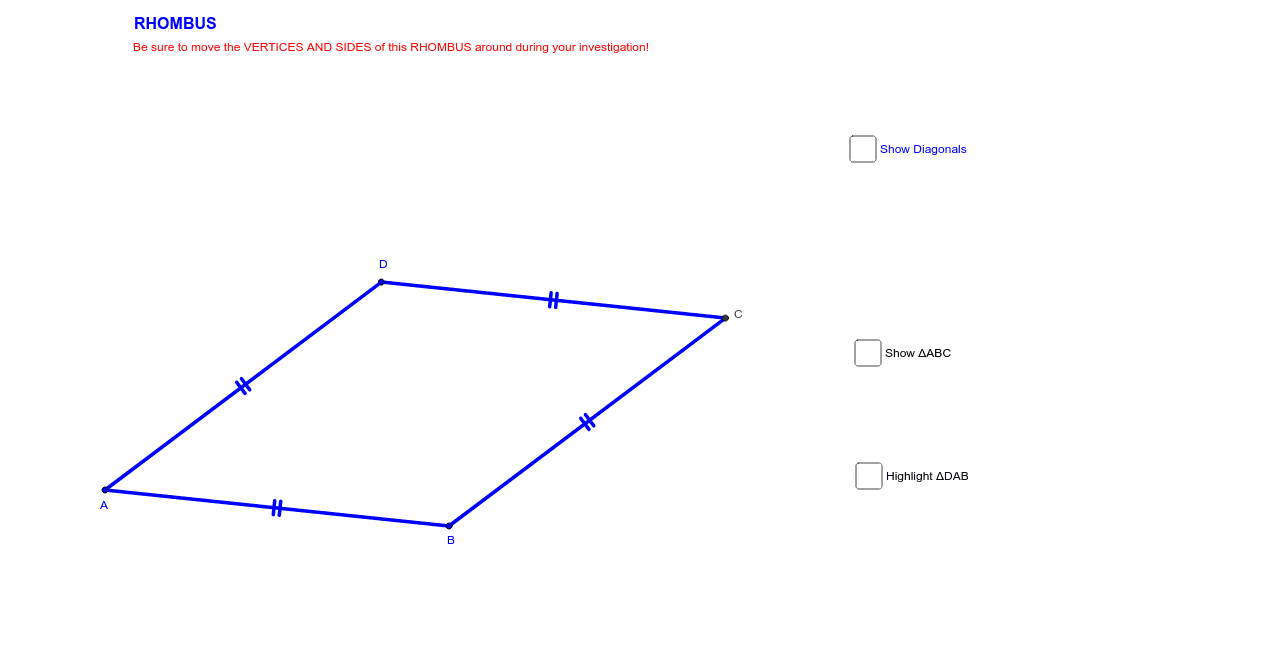
This GeoGebra example demonstrates an interactive rhombus template designed to help students informally discover the properties of a rhombus. The core mathematical concepts include rhombuses, parallelograms, congruent sides, opposite and adjacent angles, diagonals, perpendicular bisectors, symmetry, and mirror transformations. The construction summary shows that Circle, Point, and Intersect are used to establish key vertices and intersections, Segment connects the vertices to form the quadrilateral, Midpoint and Angle label important relationships, Polygon creates the rhombus object, and Mirror generates reflected auxiliary figures. Objects such as A, B, C, D, E, poly1, A′, B′, C′, poly1′, and angle labels α, β, γ indicate a scaffolded diagram with vertices, polygonal shapes, mirrored copies, and annotated angles. It is suitable for middle-school or high-school geometry, special quadrilaterals, inquiry-based lessons, and students who need structured support for discovering geometric properties.
GeoGebra Commands & Parameters
Circle(A, B) → cPoint(c) → DCircle(B, A) → dCircle(D, A) → eIntersect(d, e, 2) → CSegment(A, B) → aSegment(B, C) → bSegment(C, D) → fSegment(D, A) → gMidpoint(A, C) → ESegment(D, E) → hSegment(E, B) → iSegment(C, E) → jSegment(E, A) → kAngle(D, C, E) → αAngle(E, C, B) → βAngle(B, A, E) → γAngle(E, A, D) → δAngle(C, B, E) → εAngle(E, B, A) → ζAngle(E, D, C) → ηAngle(A, D, E) → θAngle(C, E, D) → ιPolygon(A, B, C) → poly1, c_1, a_1, b_1Mirror(A, k) → A'Mirror(B, k) → B'Mirror(C, k) → C'Polygon(A', B', C') → poly1', c', a', b'Polygon(D, A, B) → poly2, b_2, d_1, a_2Mirror(D, h) → D'Mirror(A, h) → A'_1Mirror(B, h) → B'_1Polygon(D', A'_1, B'_1) → poly2', b'_1, d', a'_1
AI Drawing Prompt Reference
Draw a rhombus template with vertices A, B, C, D, and E. E is the midpoint of A and C. The rhombus is formed by A, B, C, D. Labeled angles include α, β, γ. Reflected copies include A', B', C', poly1', poly2, and poly2'. Line segments connect these points, and circles help determine vertices. The construction order starts from circles to points, then line segments and angle labels.
The prompt above was compiled from the original drawing commands and is for reference only.