
Properties of a Rhombus by Janet Gilmore
Loading the math board and drawing, please wait…
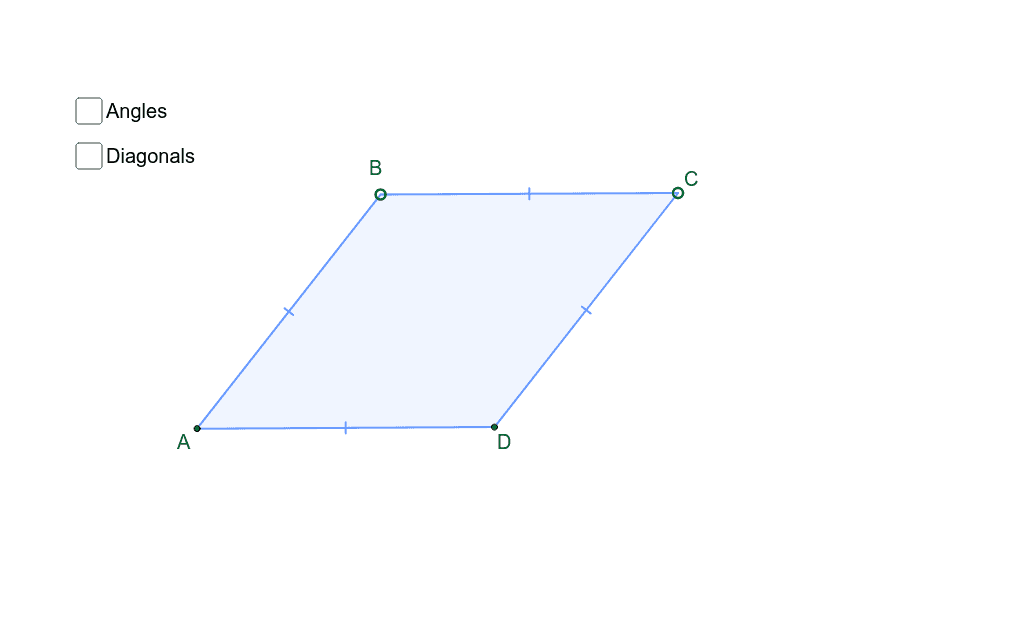
This interactive example is used to investigate the properties of a rhombus. By adjusting the side length and angles of the rhombus, you can observe that the diagonals are perpendicular and bisect each other, and the opposite sides are parallel and equal. The core mathematical concepts involved include polygons, angles, and transformations. GeoGebra commands used include Segment, Midpoint, OrthogonalLine, Point, Mirror, Polygon, and Angle. Suitable for middle school and above students to learn geometric construction and transformations.
GeoGebra Commands & Parameters
Segment(A, C) → aMidpoint(a) → XOrthogonalLine(X, a) → bPoint(b) → BMirror(B, a) → DPolygon(A, B, C, D) → poly1, a_1, d, b_1, d'Segment(A, X) → cSegment(X, C) → eSegment(B, X) → fSegment(X, D) → gAngle(A, B, C) → αAngle(B, C, D) → βAngle(C, D, A) → γAngle(D, A, B) → δAngle(A, X, D) → εAngle(A, B, X) → ζAngle(X, B, C) → ηAngle(B, C, X) → θAngle(X, C, D) → ιAngle(C, D, X) → κAngle(X, D, A) → λAngle(D, A, X) → μAngle(X, A, B) → ν
AI Drawing Prompt Reference
Draw a rhombus and show that its diagonals are perpendicular and bisect each other. Adjust the side length and angles to observe that the intersection point of the diagonals is the midpoint of all sides, and opposite sides are parallel and equal. Label the four vertices, two diagonals, four angles, and midpoints of the sides, and display the intersection point of the diagonals.
The prompt above was compiled from the original drawing commands and is for reference only.