
Rhombus Discovery Applet
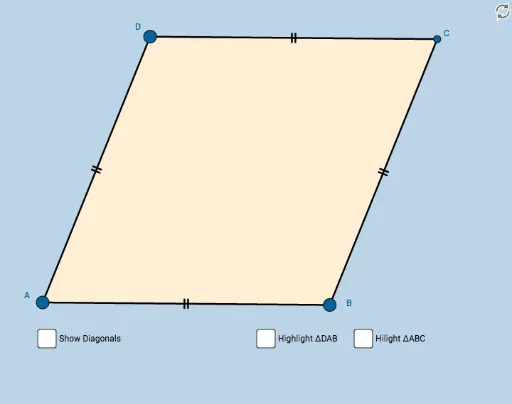
Loading the math board and drawing, please wait…
This example demonstrates the properties of a rhombus through interactive exploration, helping students understand key concepts like equal sides, perpendicular diagonals, and angle bisectors. It uses GeoGebra commands such as Circle, Point, Intersect, Segment, Midpoint, Angle, Polygon, and Mirror. Ideal for middle school and above, this resource supports geometric learning and concept reinforcement.
GeoGebra Commands & Parameters
Circle(A, B) → cPoint(c) → DCircle(B, A) → dCircle(D, A) → eIntersect(d, e, 2) → CSegment(A, B) → aSegment(B, C) → bSegment(C, D) → fSegment(D, A) → gMidpoint(A, C) → ESegment(D, E) → hSegment(E, B) → iSegment(C, E) → jSegment(E, A) → kAngle(D, C, E) → αAngle(E, C, B) → βAngle(B, A, E) → γAngle(E, A, D) → δAngle(C, B, E) → εAngle(E, B, A) → ζAngle(E, D, C) → ηAngle(A, D, E) → θAngle(C, E, D) → ιPolygon(A, B, C) → poly1, c_1, a_1, b_1Mirror(A, k) → A'Mirror(B, k) → B'Mirror(C, k) → C'Polygon(A', B', C') → poly1', c', a', b'Polygon(D, A, B) → poly2, b_2, d_1, a_2Mirror(D, h) → D'Mirror(A, h) → A'_1Mirror(B, h) → B'_1Polygon(D', A'_1, B'_1) → poly2', b'_1, d', a'_1Polygon(A, B, C, D) → poly3, a_3, b_3, c_2, d_2Segment(D, B) → sSegment(A, C) → t
AI Drawing Prompt Reference
Draw a rhombus by intersecting two circles to find a vertex, then connect the four vertices to form the rhombus. Locate the midpoints of the diagonals, draw them to show they are perpendicular and bisect each other. Label the interior angles and angle bisectors to illustrate the properties of the rhombus.
The prompt above was compiled from the original drawing commands and is for reference only.