
Rhombus Area
Loading the math board and drawing, please wait…
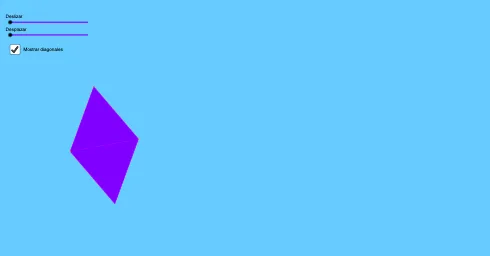
This example demonstrates the method of calculating the area of a rhombus. Key mathematical concepts include geometry, coordinate geometry, and vectors. Using GeoGebra commands such as Dilate, Vector, and Polygon, the construction of a rhombus and its area calculation are illustrated. Suitable for students at the junior high school level and above for learning geometric construction and area calculation.
GeoGebra Commands & Parameters
Dilate(F, g, E) → F'Vector(E, F') → hCircle(A, B) → cPoint(c) → CCircle(B, A) → dCircle(C, A) → eIntersect(d, e, 2) → DPolygon(A, B, D, C) → q1, a, b, d_1, c_1Vector(E, F) → uTranslate(B, h) → B'Translate(C, h) → C'Translate(A, h) → A'Polygon(A', B', C') → t1, c', a', b'Translate(D, h) → D'Polygon(B', D', C') → t2, c'_1, b'_1, d'Angle(A', C', B') → βVector(B', A') → vDilate(A', f, B') → A''Vector(B', A'') → wTranslate(B', w) → B''Translate(D', w) → D''Translate(C', w) → C''Polygon(B'', D'', C'') → t2', c'', b'', d''OrthogonalLine(A', a') → iOrthogonalLine(D'', d'') → jIntersect(i, a') → GIntersect(j, d'') → HSegment(G, A') → kSegment(H, D'') → lMidpoint(k) → IMidpoint(a') → J
AI Drawing Prompt Reference
Draw a rhombus in a coordinate plane and illustrate an area-calculation approach using vectors/geometry. Start with two points A and B, then construct circles centered at A and B whose intersections give the key vertices, including D and C, so that the quadrilateral A-B-D-C forms the rhombus. Translate this rhombus by a vector to obtain the corresponding points A′, B′, C′, and D′, and then translate again using another vector to get B″, C″, and D″. Through A′ draw a line perpendicular to a chosen reference line a′, and through D″ draw a line perpendicular to a chosen reference line d″. Find their intersections with the respective references to get points G and H, connect G to A′ and H to D″, and mark the midpoints of these segments as I and J for the area-related measurements.
The prompt above was compiled from the original drawing commands and is for reference only.