
Rhombus and Square Construction by osimmonds41
Loading the math board and drawing, please wait…
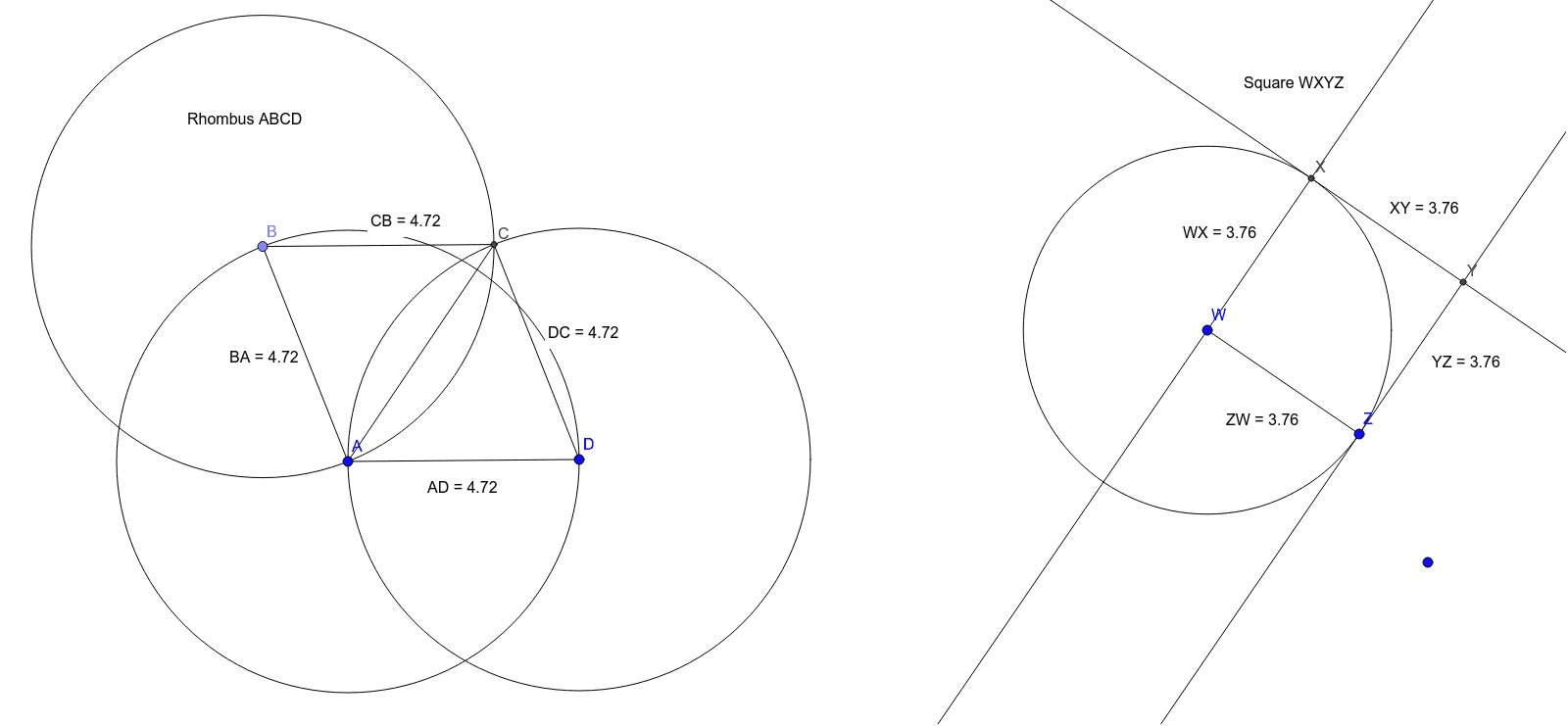
This example demonstrates the construction of a rhombus and a square. Key mathematical concepts include the properties of rhombuses and squares. Using GeoGebra commands such as Circle, Point, Intersect, Segment, Distance, etc., the construction of a rhombus and a square is illustrated. Suitable for middle and high school students learning geometric construction.
GeoGebra Commands & Parameters
Circle(A, D) → cPoint(c) → BCircle(B, A) → dCircle(D, A) → eIntersect(d, e, 2) → CSegment(A, B) → fSegment(B, C) → gSegment(A, D) → hSegment(C, D) → iSegment(A, C) → jDistance(B, A) → distanceBADistance(A, D) → distanceADDistance(D, C) → distanceDCDistance(C, B) → distanceCBSegment(W, Z) → kCircle(W, Z) → pOrthogonalLine(W, k) → lIntersect(p, l, 2) → XOrthogonalLine(X, l) → mOrthogonalLine(Z, k) → nIntersect(m, n) → YDistance(W, X) → distanceWXMidpoint(W, X) →Distance(X, Y) → distanceXYMidpoint(X, Y) →Distance(Y, Z) → distanceYZMidpoint(Y, Z) →Distance(Z, W) → distanceZWMidpoint(Z, W) →
AI Drawing Prompt Reference
Draw a rhombus and a square. Start by drawing two circles with centers A and D, and find their intersection points B and C. Connect AB, BC, CD, and DA to form a rhombus. Then, draw two more circles with centers A and D, and find their other intersection point C. Connect AC and DC to form a square. Finally, measure the lengths of each side to ensure AB=BC=CD=DA and AC=BD.
The prompt above was compiled from the original drawing commands and is for reference only.