
Rhombus and Square Construction by osimmonds41 (3)
Loading the math board and drawing, please wait…
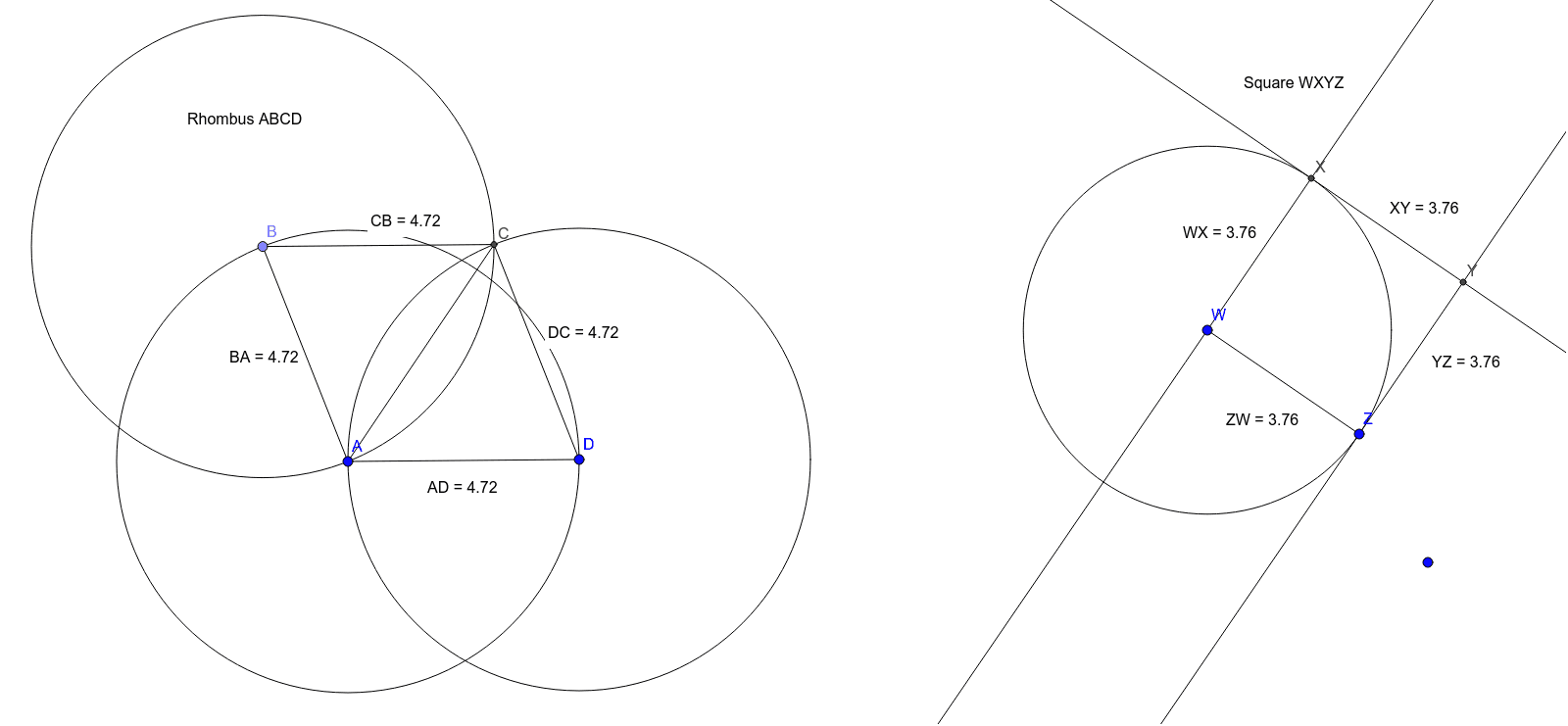
This example demonstrates the construction of rhombuses and squares, exploring their relationships with circles and triangles. Core math concepts include circles, polygons, similarity transformations, coordinate geometry, and geometric construction. Key GeoGebra commands/objects used are Circle, Point, Intersect, Segment, Distance, and OrthogonalLine. Suitable for high school mathematics teaching, illustrating geometric constructions and transformations.
GeoGebra Commands & Parameters
Circle(A, D) → cPoint(c) → BCircle(B, A) → dCircle(D, A) → eIntersect(d, e, 2) → CSegment(A, B) → fSegment(B, C) → gSegment(A, D) → hSegment(C, D) → iSegment(A, C) → jDistance(B, A) → distanceBADistance(A, D) → distanceADDistance(D, C) → distanceDCDistance(C, B) → distanceCBSegment(W, Z) → kCircle(W, Z) → pOrthogonalLine(W, k) → lIntersect(p, l, 2) → XOrthogonalLine(X, l) → mOrthogonalLine(Z, k) → nIntersect(m, n) → YDistance(W, X) → distanceWXDistance(X, Y) → distanceXYDistance(Y, Z) → distanceYZDistance(Z, W) → distanceZW
AI Drawing Prompt Reference
Draw a rhombus and a square. First, draw circles with diameters AD and BD to find points B and C, forming the rhombus. Then, draw line segments AB, BC, AD, and CD. Next, use the diagonals of the square to construct the square.
The prompt above was compiled from the original drawing commands and is for reference only.