
Representing Percentages as Decimals on a Number Line
Loading the math board and drawing, please wait…
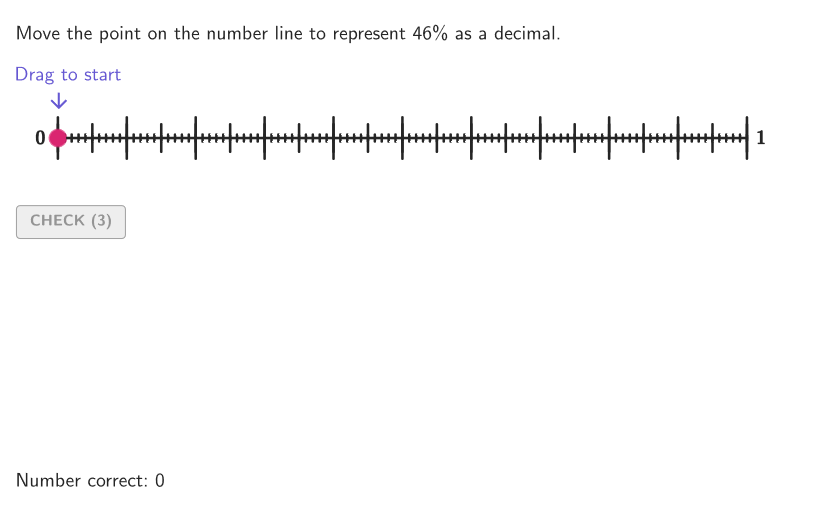
This GeoGebra lesson demonstrates how to convert a percentage into its equivalent decimal value by plotting it on a number line. It focuses on understanding percent as a fraction of 1, linking the decimal representation to the same magnitude, and visually interpreting the conversion. The construction uses interactive/randomized workflow to present multiple percentage cases (e.g., Shuffle, Take, Sequence, IndexOf) and then generates points and geometric elements to place the computed value on the numberLine. Key objects include numberLine and the givenPerc parameter, along with point/segment/polygon style elements to build the visualization. The app further supports practice and feedback through validation and UI controls such as validate, showanswer/showsolution, btnValidate, and showhint, making it suitable for Grades 6–8 and introductory percent-to-decimal modeling.
GeoGebra Commands & Parameters
Shuffle(Sequence[t, t, 1, 99, 1]) → allPerc, {46, 64, 99, 34, 83, 38, 91, 77, 68, 56, 89, 57, 62, 15, 48, 2, 12, 41, 40, 45, 36, 47, 80, 74, 90, 76, 16, 59, 35, 79, 60, 61, 92, 51, 6, 86, 53, 31, 4, 66, 54, 14, 26, 96, 13, 33, 43, 7, 88, 29, 44, 10, 73, 49, 85, 78, 65, 20, 81, 75, 19, 17, 52, 27, 11, 71, 95, 28, 3, 1, 97, 42, 70, 84, 30, 18, 21, 72, 67, 82, 24, 69, 50, 55, 39, 22, 63, 32, 87, 23, 25, 8, 58, 37, 93, 98, 94, 5, 9}Take(allRandomSeeds, randIndex, randIndex + numRandoms - 1) → currentRandomSeedsElement(allPerc, Mod[countQuestion, Length[allPerc]] + 1) → givenPercSequence((k, y(O)), k, x(O), x(A), Distance[O, A] / 100) → ptGridPoint(ptGrid) → inputPointPolygon(Zip[PixelsToPoint[Corner[1], Corner[3], Corner[5], A], A, {(pixelsLeft, pixelsTop), (pixelsLeft, y(Corner[5]) - pixelsBottom), Corner[5] - (pixelsRight, pixelsBottom), (x(Corner[5]) - pixelsRight, pixelsTop)}]) → borderBoxSegment((x(Vertex[borderBox, 1]), 0), (x(Vertex[borderBox, 3]), 0)) → numberLineCorner(5) → layoutAppSizeonboardingTextOffset(Corner[onboardingText, 1], Corner[onboardingText, 3], onboardingCase, Corner[1], Corner[3], Corner[5]) → OnboardingTextOffsetcirclePixels(inputPoint, 7 + (7 * pulsing), Corner[1], Corner[3], Corner[5]) → pulsingObjectSequence(Segment[(t, y(O) - 0.3), (t, y(O) + 0.3)], t, x(O), x(A), Distance[O, A] / 10) → longTicksSequence(Segment[(t, y(O) - 0.2), (t, y(O) + 0.2)], t, x(O), x(A), Distance[O, A] / 20) → mediumTicksSequence(Segment[(t, y(O) - 0.05), (t, y(O) + 0.05)], t, x(O), x(A), Distance[O, A] / 100) → shortTicksSegment(O, A) → displaySegmIndexOf(1, allRandomSeeds) → testValVector(SP + (0, -0.5), SP + (0, -0.1)) → arrowSol
AI Drawing Prompt Reference
Draw a number line with a point representing a decimal equivalent of a percentage. The number line spans from 0 to 1, with tick marks of varying lengths. The point aligns with the tick marks to indicate the value. The line has endpoints and evenly distributed ticks. A small circle appears near the point. The overall design is simple and clear for educational purposes.
The prompt above was compiled from the original drawing commands and is for reference only.