
Related Rates: Adjustable Cone
Loading the math board and drawing, please wait…
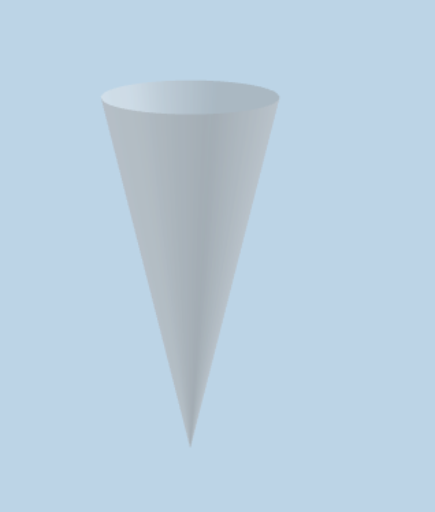
This example demonstrates an adjustable cone where the height-to-radius ratio can be adjusted while keeping the volume rate of change constant. The core mathematical concept involves related rates in calculus. Using GeoGebra commands such as Dilate, Line, and Intersect, the shape of the cone can be dynamically adjusted. Suitable for high school and above students to learn about related rates.
GeoGebra Commands & Parameters
Dilate(A, If[0 < t ≤ 1, 1 - t, 0], B) → A'Line(A, C) → fIntersect(a, f) → RCone(A', A, Distance[A', R]) → b, c, dDilate(B, If[1 < t ≤ 2, 2 - t, 0], D) → B'Intersect(e, f) → SCone(B', A, Distance[B', S]) → g, h, iDilate(D, If[2 < t ≤ 3, 3 - t, 0], F) → D'Intersect(j, f) → TCone(D', A, Distance[D', T]) → l, q, mDilate(F, If[3 < t ≤ 4, 4 - t, 0], H) → F'Intersect(n, f) → UCone(F', A, Distance[F', U]) → o, r, sDilate(H, If[4 < t ≤ 5, 5 - t, 0], J) → H'Intersect(u, f) → VCone(H', A, Distance[H', V]) → v, c_1, wDilate(J, If[5 < t ≤ 6, 6 - t, 0], L) → J'Intersect(a_1, f) → WCone(J', A, Distance[J', W]) → b_1, d_1, e_1Dilate(L, If[6 < t ≤ 7, 7 - t, 0], N) → L'Intersect(f, f_1) → ZCone(L', A, Distance[L', Z]) → g_1, h_1, i_1Dilate(N, If[7 < t ≤ 8, 8 - t, 0], P) → N'Intersect(j_1, f) → A_1Cone(N', A, Distance[N', A_1]) → k_1, p_1, l_1Textfield(k) → InputBox1Textfield(p) → InputBox2Cone(P, A, Radius[p_1]) → o_1, q_1, r_1Textfield(t) → InputBox3Height(o_1) → b_2Textfield(c_2) → InputBox4Cone((0, 0, c_2), A, c_2 / p) → d_2, e_2, f_2
AI Drawing Prompt Reference
Draw an adjustable cone with a slider to control the height-to-radius ratio while maintaining a constant volume rate of change. Use dynamic transformation tools to adjust the cone's shape, showing the dynamic process of the cone's transformation, suitable for learning calculus concepts of related rates.
The prompt above was compiled from the original drawing commands and is for reference only.