
Reflections Page 1: Interactive Triangle with Text Inputs
Loading the math board and drawing, please wait…
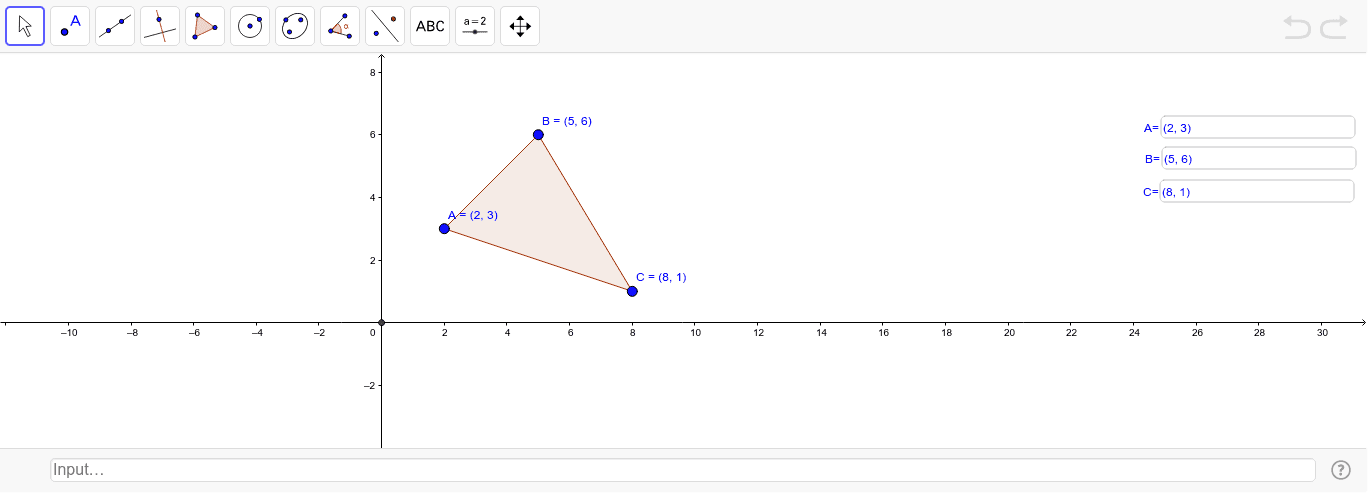
①This example demonstrates how to use three text input boxes in GeoGebra to control the coordinates of a triangle's vertices, allowing students to visually explore how reflection (mirror) transformations affect the shape's position. ②Core mathematical concepts include reflection symmetry in plane geometry, coordinate representation of points, and the relationship between input parameters and geometric transformations. ③Construction details: The Polygon command creates triangle poly1, three Textfield objects (InputBox1, InputBox2, InputBox3) serve as interactive inputs, and the Intersect command computes point D, enabling dynamic updates of the figure when coordinates are changed. ④Suitable for middle or high school geometry lessons, this interactive tool helps learners understand coordinate rules for reflections and introduces basic ideas of parameterized construction and dynamic exploration in mathematics.
GeoGebra Commands & Parameters
Polygon(A, B, C) → poly1, c, a, bTextfield(A) → InputBox1Textfield(B) → InputBox2Textfield(C) → InputBox3Intersect(xAxis, yAxis) → D
AI Drawing Prompt Reference
Draw a triangle with three vertices, each accompanied by an input box for entering its coordinates. Include coordinate axes and mark the intersection point of the axes. When the coordinate values in the input boxes are changed, the triangle should update its position or shape accordingly, visually demonstrating how reflection transformations affect the figure. The layout should clearly show the connection between the input controls and the geometric shape, suitable for educational demonstration.
The prompt above was compiled from the original drawing commands and is for reference only.