
Reflections and Cylinders - Day 2 Lesson
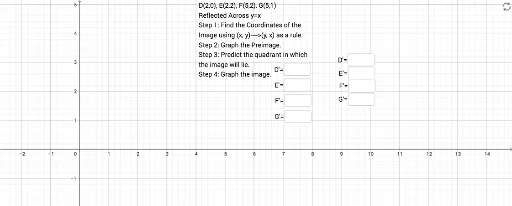
Loading the math board and drawing, please wait…
This example demonstrates how to create reflection transformations using GeoGebra and observe their interaction with a cylinder. It involves core mathematical concepts like reflection, cylindrical geometry, trigonometric functions, logic, boxplots, and equation solving. The construction uses commands/objects such as Textfield and multiple InputBoxes for parameter input and text display, making it suitable for high school students studying spatial geometry and transformations, as well as providing a visual tool for boxplots in probability & statistics.
GeoGebra Commands & Parameters
Textfield() → InputBox1Textfield() → InputBox2Textfield() → InputBox3Textfield() → InputBox4Textfield() → InputBox5Textfield() → InputBox6Textfield() → InputBox7Textfield() → InputBox8
AI Drawing Prompt Reference
Create a 3D scene featuring a cylinder and multiple reflected mirror images of a shape, with eight interactive input boxes for parameter adjustment, each accompanied by a text label. The reflections should be performed across the cylinder's axis or a symmetry plane, showing the correspondence between original and reflected figures on the cylindrical surface. Include trigonometric curves or a coordinate grid to aid understanding of spatial geometry and reflection principles. The layout should be clear for educational demonstration, emphasizing the visual connection between reflection, cylindrical geometry, and parameter control.
The prompt above was compiled from the original drawing commands and is for reference only.