
Reflectional Symmetry of Tetrahedron
Loading the math board and drawing, please wait…
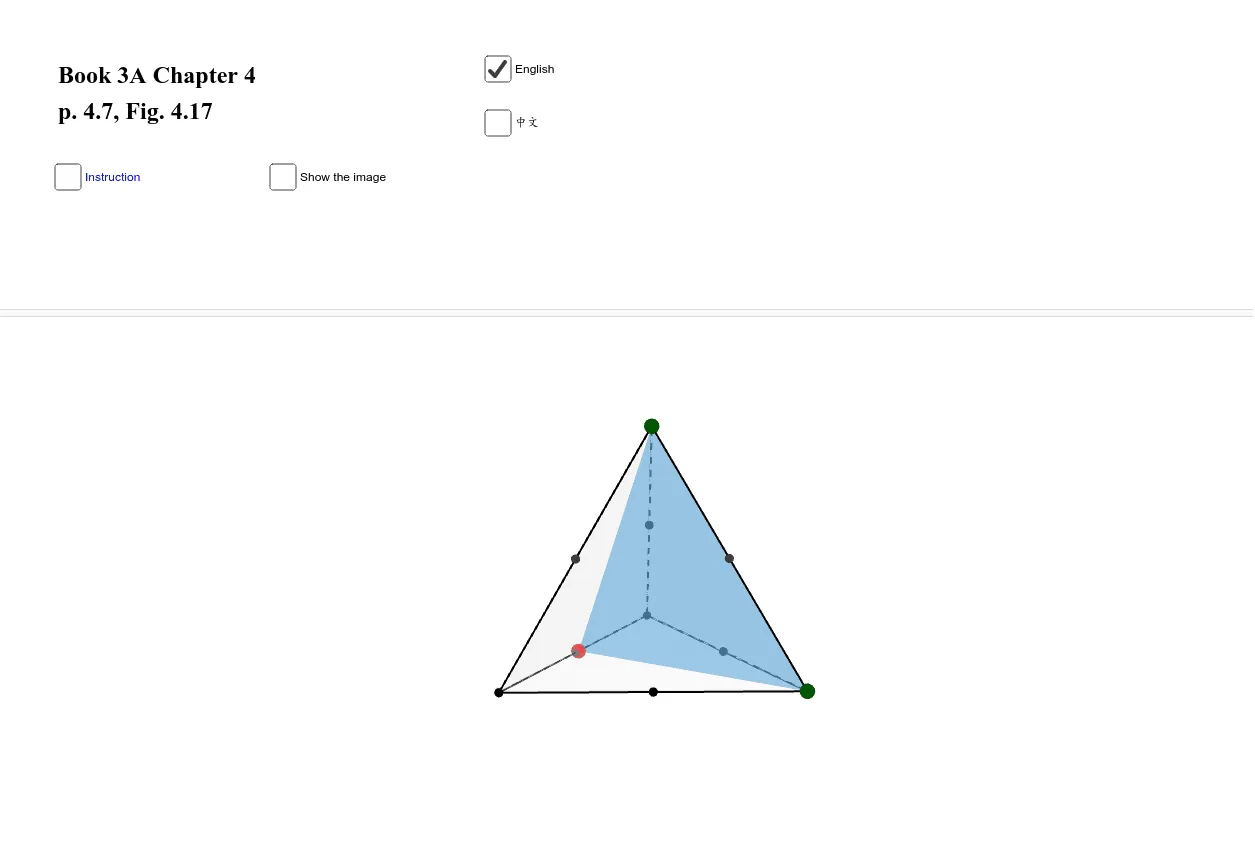
This example demonstrates the reflectional symmetry of a tetrahedron. It involves core mathematical concepts like symmetry, logic, ratios, midpoints, intersection paths, and mirroring. The construction uses GeoGebra commands such as Point, Tetrahedron, Midpoint, IntersectPath, and Mirror. Suitable for high school students and math enthusiasts studying solid geometry and transformational geometry.
GeoGebra Commands & Parameters
Point(yAxis) → APoint(Circle[Midpoint[A, B], (Distance[A, B] * sqrt(3) / 2), Segment[A, B]]) → CTetrahedron(A, B, C) → a, V, edgeCD, edgeBD, faceABC, faceACD, faceABD, faceBCD, edgeAC, edgeAB, edgeBC, edgeADMidpoint(A, B) → MPoint(a) → DPoint(a) → EMidpoint(B, C) → NMidpoint(V, C) → OPoint(a) → FIntersectPath(Plane[D, E, F], a) → poly1, G, H, I, J, b, c, d, eMirror(a, poly1) → a'Midpoint(A, C) → P_1Midpoint(V, A) → P_2Midpoint(V, B) → P_3
AI Drawing Prompt Reference
Draw a tetrahedron and demonstrate its reflectional symmetry. First, construct the tetrahedron with three vertices and its base face. Then, find the midpoints of the base edges and use these midpoints along with the vertices to create new points. Next, mirror the tetrahedron across a plane defined by the midpoints and vertices to obtain a symmetric copy. Finally, connect corresponding vertices and mirrored points to form the complete symmetric figure, highlighting the symmetry axes and planes of the tetrahedron.
The prompt above was compiled from the original drawing commands and is for reference only.