
Reflection Maze 2: Interactive Exploration of Mirror Transform and Continuity
Loading the math board and drawing, please wait…
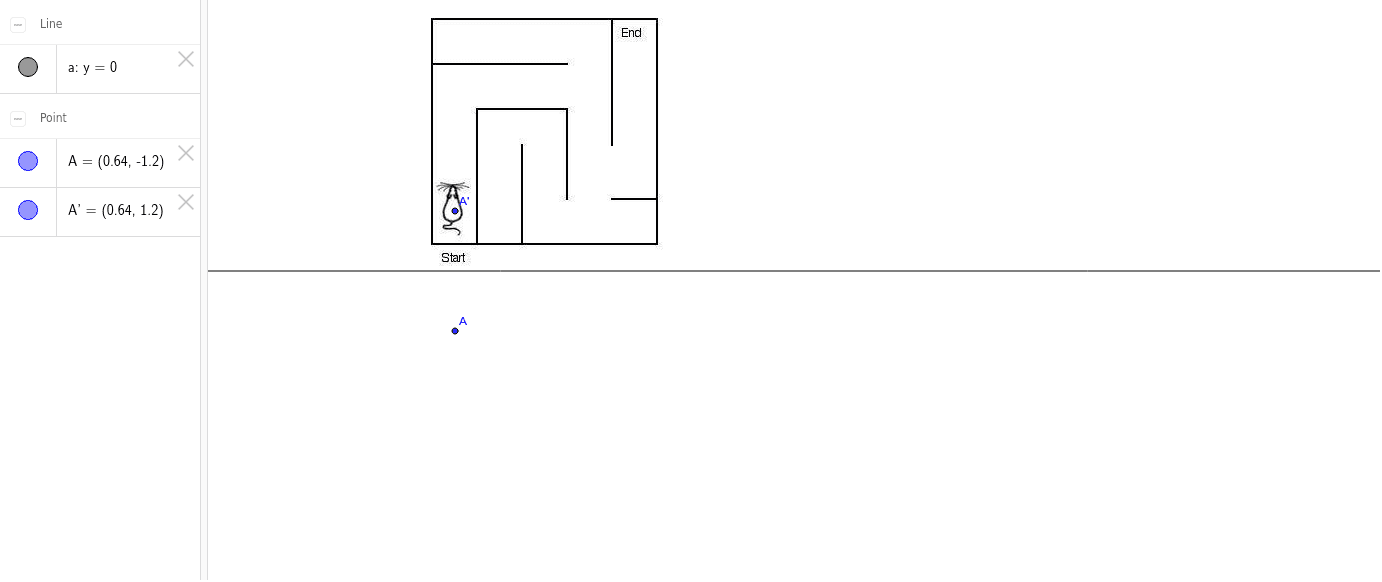
①This example demonstrates the positional and directional changes of planar figures under mirror reflection through a maze-like interactive scene, along with the continuity relationship between the reflected image and the original. ②Core mathematical concepts include reflection transformation (axial symmetry), continuity of figures, and potential connections with circles, sine functions, derivatives, and prisms, highlighting the intersection of transformation geometry and function graphs. ③Construction highlights: Using GeoGebra's Mirror command on image objects pic1, pic2, and point A with its image A', users can adjust the reflection axis or parameter a to observe dynamic changes, thereby understanding the geometric properties of reflection. ④Suitable for upper secondary to early university students, this example serves as a dynamic teaching tool for geometric transformations, reflection symmetry, and as a supplementary aid for understanding continuity and transformations in calculus.
GeoGebra Commands & Parameters
Mirror(A, a) → A'
AI Drawing Prompt Reference
Create an interactive maze scene demonstrating positional and directional changes of planar figures under mirror reflection, and the continuity between reflected images and originals. Core concepts include reflection transformation (axial symmetry), figure continuity, and potential connections with circles, sine functions, derivatives, and prisms, highlighting the intersection of transformation geometry and function graphs. Allow dynamic adjustments to observe changes and understand geometric properties of reflection.
The prompt above was compiled from the original drawing commands and is for reference only.