
Reference Triangles on Standard Plane
Loading the math board and drawing, please wait…
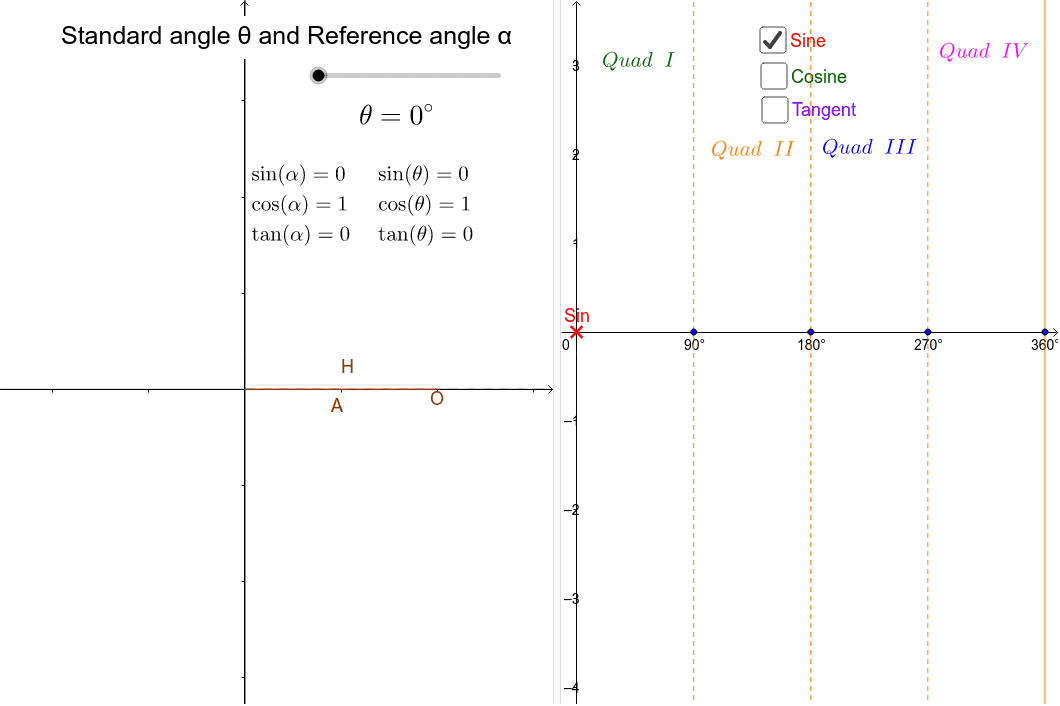
This example demonstrates how to use reference angles to determine the trigonometric values of any angle. By rotating and constructing, it simplifies the calculation of trigonometric functions. Core concepts include trigonometry, angles, rotation, and parallel lines. GeoGebra commands used include CurveCartesian, Ray, Point, Angle, Polygon, Rotate, and OrthogonalLine. Suitable for high school mathematics education and learning.
GeoGebra Commands & Parameters
CurveCartesian(cos(t), sin(t), t, 0, θ) → aRay(A, B) → bPoint(b) → CRay(A, E) → cAngle(c, b) → α_IPoint(yAxis) → DRay(A, D) → dPoint(xAxis) → FRay(A, F) → eRay(A, G) → fAngle(b, e) → α_{II}Angle(e, b) → α_{III}Angle(b, c) → α_{IV}Polygon(A, XB, B) → poly1, b_1, a_1, xbAngle(A, XB, B) → αAngle(B, XB, A) → βRotate(A, θ°, A) → A'OrthogonalLine(I, xAxis) → jOrthogonalLine(H, xAxis) → kOrthogonalLine(J, xAxis) → lOrthogonalLine(K, xAxis) → m