
Reference Angle Demonstration
Loading the math board and drawing, please wait…
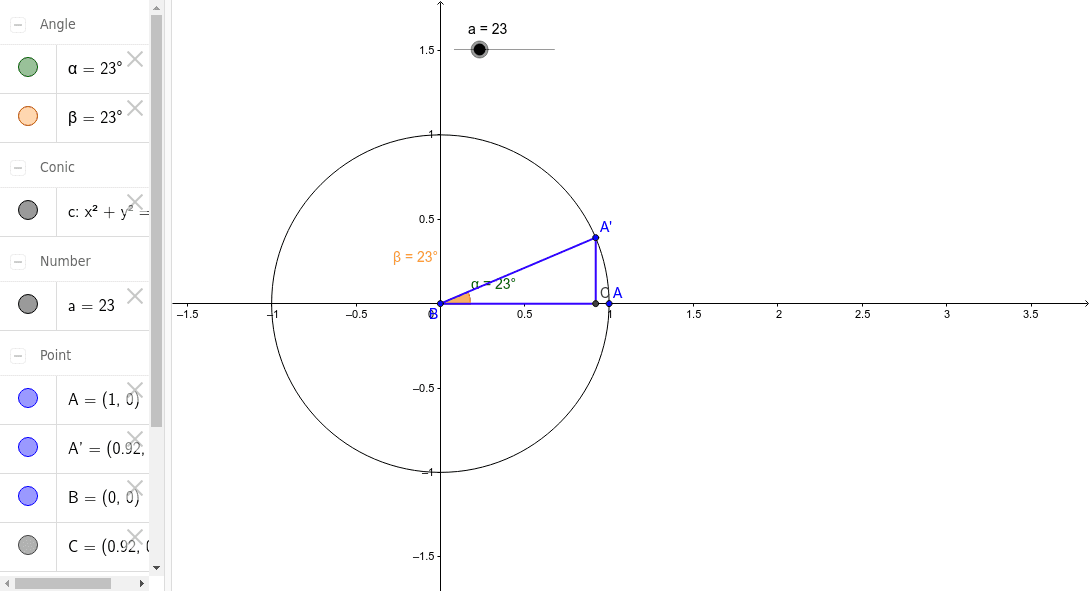
Move the point on the slider to observe changes in the angle and the reference angle. This example demonstrates the concept of reference angles in trigonometry, involving circles and trigonometric functions. It uses Circle, Rotate, Angle, and Segment commands in GeoGebra. Suitable for high school math education and learning.
GeoGebra Commands & Parameters
Circle((0, 0), 1) → cRotate(A, a°, B) → A'Angle(A, B, A') → αSegment(B, A') → bSegment(A', C) → dSegment(C, B) → eAngle(A', B, C) → β
AI Drawing Prompt Reference
Draw a unit circle with a point on it. Move the point using a slider to change the angle, and display the reference angle. Connect the center of the circle to the point and rotate it to show the angle's reference. Draw segments to form a triangle and label the angles to illustrate the relationship between the original angle and the reference angle, suitable for high school trigonometry education.
The prompt above was compiled from the original drawing commands and is for reference only.