
Custom Cuboid: Dynamic Dimension Adjustment and Volume/Surface Area Calculation
Loading the math board and drawing, please wait…
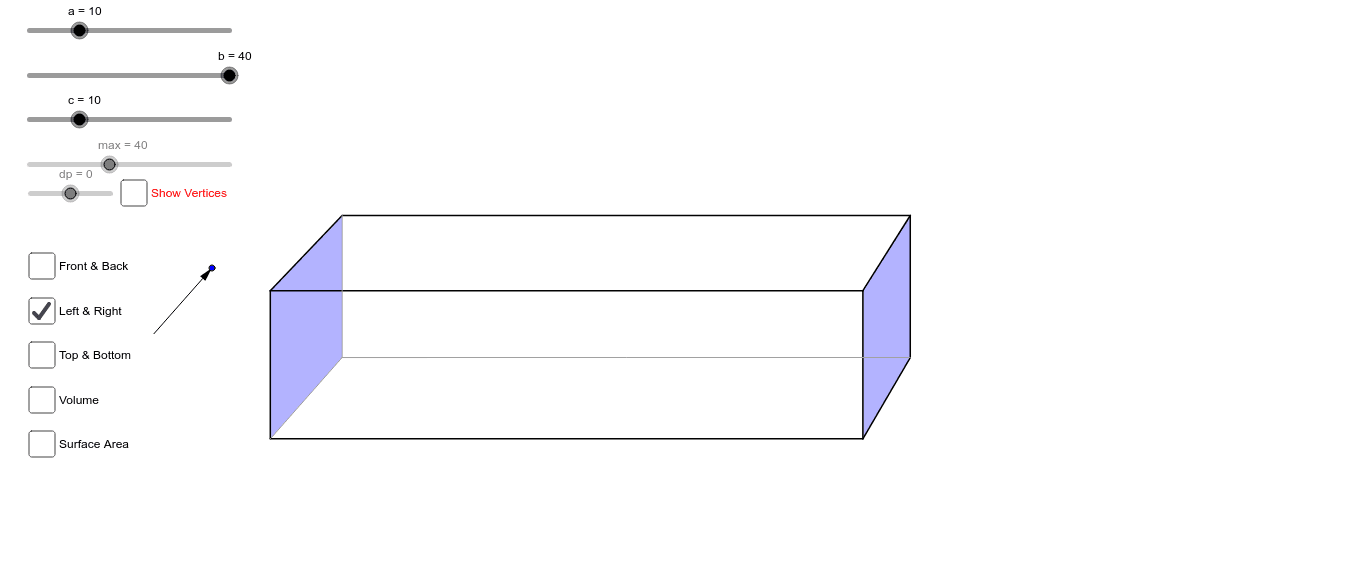
This example demonstrates how to dynamically adjust the dimensions of a cuboid to calculate and visualize its volume and surface area. The key mathematical concepts involve the volume formula (V = length × width × height) and surface area formula (S = 2×(length×width + length×height + width×height)). Construction involves using GeoGebra commands such as Segment, OrthogonalLine, Intersect, Ray, Circle, Line, Vector, and Polygon to build the cuboid, along with a slider for dynamic adjustment. Suitable for middle school and above students to understand three-dimensional geometry and practical applications.
GeoGebra Commands & Parameters
Segment(A, C) → iSegment(A, B) → dOrthogonalLine(B, d) → eOrthogonalLine(C, i) → fIntersect(e, f) → DSegment(D, C) → gSegment(D, B) → hRay(C, E) → pRay(D, E) → qRay(B, E) → rCircle(D, (0.6 * c)) → sIntersect(s, q) → I,Line(I, h) → jLine(I, g) → kIntersect(j, r) → FIntersect(k, p) → GSegment(F, I) → lSegment(I, G) → mSegment(F, B) → nSegment(I, D) → tSegment(G, C) → a_1Line(G, l) → b_1Line(F, m) → c_1Intersect(c_1, b_1) → HSegment(F, H) → d_1Segment(H, G) → e_1Segment(H, A) → f_1Vector(J, K) → uPolygon(F, I, G, H) → poly1, f_2, i_1, g_1, h_1Polygon(B, D, C, A) → poly2, b_2, d_2, c_2, a_2Polygon(F, B, A, H) → poly3, f_3, b_3, a_3, h_2Polygon(I, D, C, G) → poly4, i_2, d_3, c_3, g_2Polygon(F, I, D, B) → poly5, f_4, i_3, d_4, b_4Polygon(H, G, C, A) → poly6, h_3, g_3, c_4, a_4
AI Drawing Prompt Reference
Draw a cuboid with adjustable length, width, and height, and display its volume and surface area. Use a slider to dynamically change the dimensions of the cuboid, visualizing the results through the calculation formulas (volume = length × width × height, surface area = 2×(length×width + length×height + width×height)). First, construct the base and sides of the cuboid, then determine the top vertices by intersecting rays with circles, and finally connect all vertices to form the faces of the cuboid, distinguishing them with different colors.
The prompt above was compiled from the original drawing commands and is for reference only.