
Making Cone: Dynamic Construction of a Cone in GeoGebra
Loading the math board and drawing, please wait…
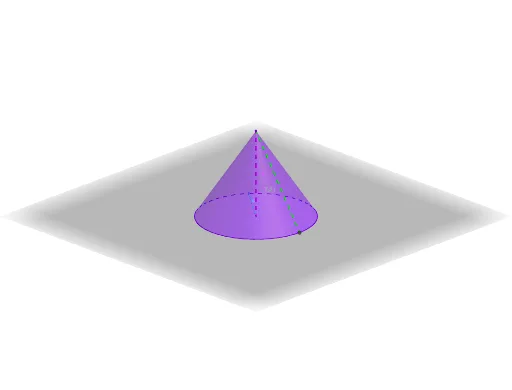
This GeoGebra example demonstrates the step-by-step construction of a cone from a circular base and an apex, visualizing how a 3D solid emerges from 2D elements. Core mathematical concepts include solid geometry (cone properties), volume and total surface area formulas, and the use of complex numbers, piecewise functions, and logic for parameter control. The construction employs commands such as Segment, Circle, Point, Text, Textfield, and Cone, with objects like height (h), radius (r), apex (D), base center (B), and dynamic text fields for volume and total surface area. Users can adjust parameters via sliders or input fields to see real-time changes in the cone's dimensions and computed values. Suitable for high school or introductory college students learning 3D geometry, and useful for teachers as an interactive visual aid in lessons on cones and measurement.
GeoGebra Commands & Parameters
Segment(B, D) → gCircle(C, radius, xOyPlane) → cPoint(c) → ASegment(C, A) → fText(V) → text1Text(TSA) → text2Textfield(ViewSol) → CodeCone(c, height) → a, d, bSegment(C, D) → hText(g) → text3
AI Drawing Prompt Reference
Create an interactive cone by first drawing a circular base, marking its center and an apex point, then connecting the center to the apex to form the height and drawing a radius from the center to any point on the circumference; provide sliders or input fields to adjust the height and radius dynamically, which updates the solid cone in real time, and display the volume and total surface area as live text labels alongside a text field showing the calculation steps.
The prompt above was compiled from the original drawing commands and is for reference only.