
Rectangular Prism Volume Calculation and Visualization
Loading the math board and drawing, please wait…
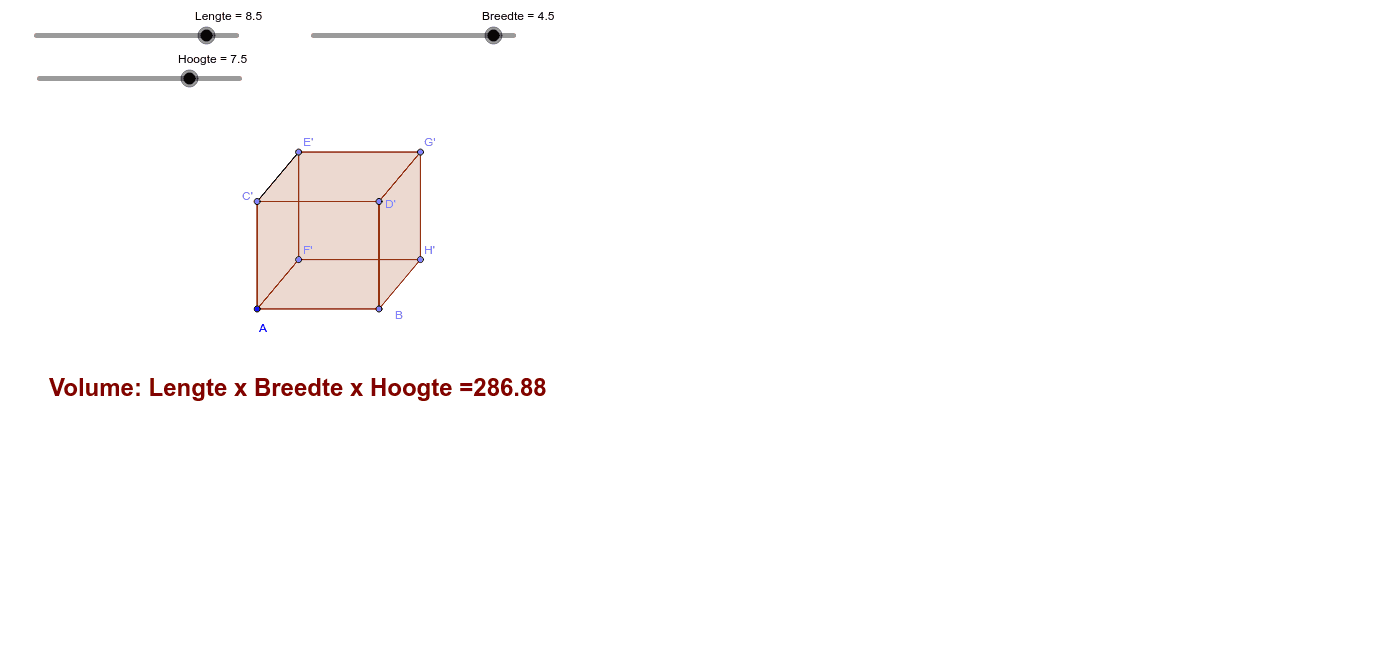
This example demonstrates the volume calculation of a rectangular prism (rectangular parallelepiped) through an interactive 3D model, intuitively illustrating the geometric meaning of the volume formula V = length × width × height. The core mathematical concepts include understanding the structure of rectangular prisms, deriving the volume formula, and measuring spatial geometric quantities. Construction points: Using Point commands to determine vertex positions, Segment commands to draw edges, Angle commands to mark right angles, Polygon commands to construct faces, Distance commands to measure length, width, and height dimensions, and parameter adjustments for dynamic visualization. This example is suitable for elementary and secondary school mathematics courses on solid geometry, helping students build 3D spatial concepts and understand the origin of volume formulas, and can also serve as a teaching demonstration tool for educators.
GeoGebra Commands & Parameters
Point(Circle[A, abs(Lengte)]) → BSegment(A, B) → aPoint(Circle[A, abs(Hoogte)]) → CSegment(A, C) → bRotate(C, α, A) → C'Angle(C, A, C') → βSegment(A, C') → cPoint(Circle[B, abs(Hoogte)]) → DSegment(B, D) → dRotate(D, α, B) → D'Angle(D, B, D') → γSegment(D', B) → eSegment(C', D') → fPoint(Circle[C', abs(Breedte)]) → ESegment(C', E) → gRotate(E, δ, C') → E'Angle(E, C', E') → εSegment(C', E') → hPoint(Circle[A, abs(Breedte)]) → FSegment(A, F) → iPoint(Circle[D', abs(Breedte)]) → GSegment(D', G) → jPoint(Circle[B, abs(Breedte)]) → HSegment(B, H) → kRotate(G, δ, D') → G'Angle(G, D', G') → ζRotate(H, δ, B) → H'Angle(H, B, H') → ηRotate(F, δ, A) → F'Angle(F, A, F') → θSegment(D', G') → lSegment(A, F') → mSegment(B, H') → nSegment(E', G') → pSegment(G', H') → qSegment(F', E') → rSegment(F', H') → sPolygon(C', E', F', A) → poly1, c', e', f', a_2Polygon(E', G', H', F') → poly2, e'_1, g', h', f'_1Polygon(C', E', G', D') → poly3, c'_1, e'_2, g'_1, d'Polygon(C', D', B, A) → poly4, c'_2, d'_1, b_2, a_3Polygon(A, F', H', B) → poly5, a_4, f'_2, h'_1, b_3Polygon(D', G', H', B) → poly6, d'_2, g'_2, h'_2, b_4Distance(A, B) → ABSegment(C', E') → t
AI Drawing Prompt Reference
Draw a 3D rectangular prism to illustrate volume calculation. Start with one vertex, then draw three edges from it representing length, width, and height, ensuring they are mutually perpendicular. Construct the remaining vertices and edges to form six rectangular faces. Label the length, width, and height with their measured values, and display the volume formula. Use distinct colors for each face and mark right angles to clearly show that volume equals length times width times height.
The prompt above was compiled from the original drawing commands and is for reference only.