
Rectangle Transformation Demo
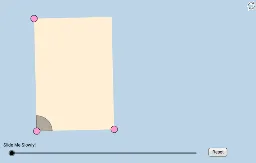
Loading the math board and drawing, please wait…
This example demonstrates geometric transformations of a rectangle through dynamic interaction, helping students intuitively understand transformation effects. Core math concepts include geometry transformation, vector, and coordinate geometry. Construction highlights the use of commands like Segment, Vector, Translate, Rotate in GeoGebra. Suitable for high school mathematics teaching on transformations and geometric properties.
GeoGebra Commands & Parameters
Segment(A, B) → aSlope(a) → cOrthogonalLine(A, a) → ePoint(e) → CRay(A, C) → dPoint(d) → DSegment(A, D) → fLine(D, a) → gLine(B, f) → hIntersect(g, h) → ESegment(D, E) → iSegment(E, B) → jMidpoint(A, E) → FCircle(A, (0.2 * Min[f, i])) → kIntersect(k, f) → G,Intersect(k, a, 1) → HDilate(A, If[0 < l ≤ 1, 1 - l, 0], B) → A'Vector(A, A') → uCircleSector(A, H, G) → pTranslate(p, u) → p'Rotate(p', If[1 < l ≤ 2, ((l - 1) * π / 2), 1.5707963267948966], B) → p''Dilate(B, If[2 < l ≤ 3, 3 - l, 0], E) → B'Vector(B, B') → vTranslate(p'', v) → p'''Rotate(p''', If[3 < l ≤ 4, ((l - 3) * π / 2), 1.5707963267948966], E) → qDilate(E, If[4 < l ≤ 5, 5 - l, 0], D) → E'Vector(E, E') → wTranslate(q, w) → q'Rotate(q', If[5 < l ≤ 6, ((l - 5) * π / 2), 1.5707963267948966], D) → q''Dilate(D, If[6 < l ≤ 7, 7 - l, 0], F) → D'Vector(D, D') → mSegment(D, D') → nDilate(F, If[7 < l ≤ 8, 8 - l, 0], B) → F'Segment(F, F') → rDilate(A, If[8 < l ≤ 9, 9 - l, 0], F) → A'_1Segment(A, A'_1) → sDilate(F, If[9 < l ≤ 10, 10 - l, 0], E) → F'_1Segment(F, F'_1) → tPolygon(A, B, E, D) → poly1, a_1, b_1, e_1, d_1Angle(E, F, D) → αAngle(B, A, F) → γAngle(F, A, D) → δRotate(F, If[10 < l ≤ 11, ((l - 10) * α), α], F) → F'_2Rotate(F'_1, If[10 < l ≤ 11, ((l - 10) * α), α], F) → ISegment(F'_2, I) → t'Rotate(F'_2, If[11 < l ≤ 12, ((l - 11) * (π - α)), π - α], F) → JRotate(I, If[11 < l ≤ 12, ((l - 11) * (π - α)), π - α], F) → I'Segment(J, I') → t''Rotate(J, If[12 < l ≤ 13, ((l - 12) * α), α], F) → J'Rotate(I', If[12 < l ≤ 13, ((l - 12) * α), α], F) → I''Segment(J', I'') → t'''Segment(A, F) → c_1Intersect(k, c_1) → K,CircleSector(A, H, K) → f_1CircleSector(A, K, G) → g_1Dilate(A, If[16 < l ≤ 17, 17 - l, 0], E) → A'_2Dilate(A, If[16 < l ≤ 17, 17 - l, 0], B) → A'_3Dilate(A, If[16 < l ≤ 17, 17 - l, 0], D) → A'_4Vector(A, A'_3) → u_1Vector(A, A'_2) → v_1Vector(A, A'_4) → w_1Translate(f_1, u_1) → h_1Translate(f_1, v_1) → k_1Translate(f_1, w_1) → p_1Rotate(h_1, If[17 < l ≤ 18, ((l - 17) * (π / 2 + δ)), π / 2 + δ], B) → q_1Rotate(p_1, If[17 < l ≤ 18, ((l - 17) * ((3 * π / 2) + δ)), (3 * π / 2) + δ], D) → r_1Rotate(k_1, If[17 < l ≤ 18, ((l - 17) * π), 3.141592653589793], E) → s_1Dilate(A, If[18 < l ≤ 19, 19 - l, 0], E) → A'_5Dilate(A, If[18 < l ≤ 19, 19 - l, 0], D) → A'_6Dilate(A, If[18 < l ≤ 19, 19 - l, 0], B) → A'_7Vector(A, A'_7) → i_1Vector(A, A'_5) → j_1Vector(A, A'_6) → l_1Translate(g_1, l_1) → t_1Translate(g_1, j_1) → c_2Translate(g_1, i_1) → d_2Rotate(d_2, If[19 < l ≤ 20, ((l - 19) * δ), δ], B) → e_2Rotate(c_2, If[19 < l ≤ 20, ((-(l - 19)) * π), -3.141592653589793], E) → f_2Rotate(t_1, If[19 < l ≤ 20, ((l - 19) * (π + δ)), π + δ], D) → g_2
AI Drawing Prompt Reference
Draw a rectangle ABCD, then perform a scaling transformation around point A, followed by a rotation transformation around point B, and then a rotation and scaling transformation around point D, and finally a rotation and scaling transformation around point E, to form a series of transformed rectangles and triangles, resulting in a complex geometric shape.
The prompt above was compiled from the original drawing commands and is for reference only.