
Rectangle Properties Demo by Beverly Heigre
Loading the math board and drawing, please wait…
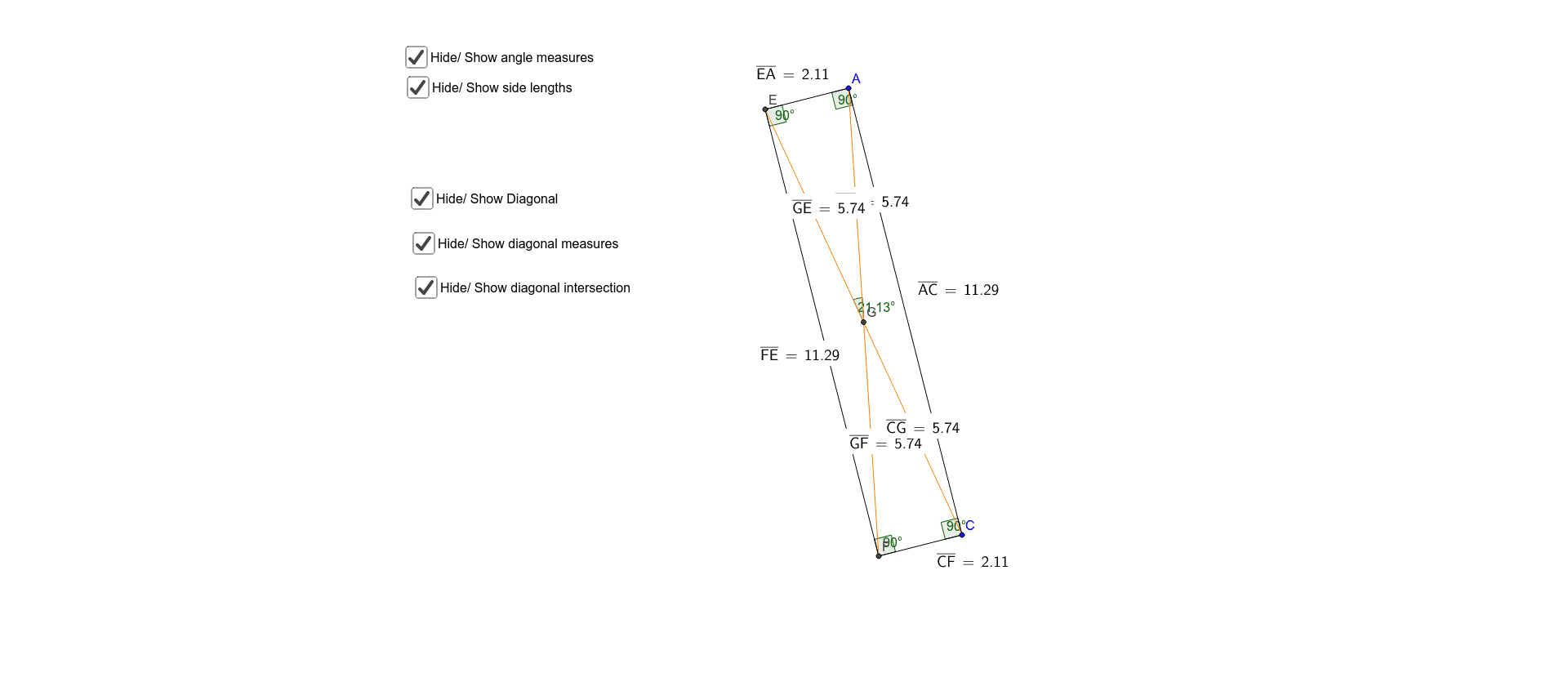
This example dynamically demonstrates the geometric properties of a rectangle, including side lengths, angles, diagonals, and more. Core math concepts involve polygons, angles, distance, slope, and coordinate geometry. Construction uses commands like Segment, OrthogonalLine, Line, Intersect, Angle, Distance, and Slope, along with objects such as points and texts. Ideal for high school geometry education or property exploration.
GeoGebra Commands & Parameters
Segment(A, C) → aOrthogonalLine(A, a) → bOrthogonalLine(C, a) → cLine(D, a) → dIntersect(b, d) → EIntersect(c, d) → FSegment(E, A) → eSegment(F, C) → fSegment(F, E) → gAngle(E, A, C) → αAngle(A, C, F) → βAngle(C, F, E) → γAngle(F, E, A) → δDistance(E, A) → distanceEADistance(A, C) → distanceACDistance(C, F) → distanceCFDistance(F, E) → distanceFESlope(e) → mSlope(f) → m_1Slope(a) → m_2Slope(g) → m_3Segment(E, C) → lSegment(F, A) → nIntersect(l, n) → GDistance(A, G) → distanceAGDistance(G, F) → distanceGFDistance(C, G) → distanceCGDistance(G, E) → distanceGEAngle(A, G, E) → ε
AI Drawing Prompt Reference
Draw a rectangle with its diagonals, sides, angles, and distances. Start by drawing two vertices A and C, then draw the sides of the rectangle through A and C. Find the intersection points E and F of the diagonals, measure the lengths of the sides, diagonals, and angles. Finally, calculate the intersection point G inside the rectangle and the distances from G to the vertices.
The prompt above was compiled from the original drawing commands and is for reference only.