
Rectangle Properties and Geometric Construction
Loading the math board and drawing, please wait…
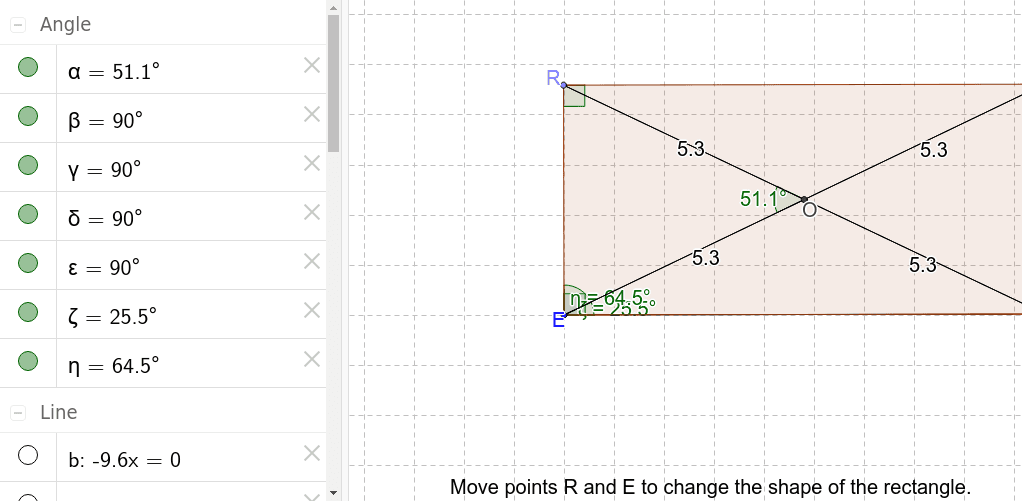
This example demonstrates the basic properties of rectangles and their application in geometric construction. Key mathematical concepts include rectangle definition, area calculation, angle relationships, and coordinate geometry. Construction involves using GeoGebra commands such as Segment, OrthogonalLine, Point, Intersect, and Polygon to create rectangle shapes. Suitable for middle school students or high school students learning geometry fundamentals, or for math teaching demonstrations.
GeoGebra Commands & Parameters
Segment(E, C) → aOrthogonalLine(E, a) → bPoint(b) → ROrthogonalLine(R, b) → cOrthogonalLine(C, a) → dIntersect(c, d) → TPolygon(E, R, T, C) → poly1, a_1, c_1, d_1, b_1Segment(R, C) → RCSegment(T, E) → ETIntersect(ET, RC) → OSegment(R, O) → eSegment(T, O) → fSegment(O, C) → gSegment(O, E) → hAngle(R, O, E) → αAngle(E, R, T) → βAngle(R, T, C) → γAngle(T, C, E) → δAngle(C, E, R) → εAngle(C, E, T) → ζAngle(T, E, R) → η
AI Drawing Prompt Reference
Draw a rectangle with points E and C as the endpoints of the diagonal. Construct a perpendicular line to segment a through point E to get point R, then construct a perpendicular line through R to get point T. Use points E, R, T, and C to draw a quadrilateral. Draw line segments RC and ET, find their intersection point O, then draw line segments RO, TO, OC, and OE. Finally, measure and record angles α, β, γ, δ, ε, and ζ.
The prompt above was compiled from the original drawing commands and is for reference only.