
Rectangle Dissection
Loading the math board and drawing, please wait…
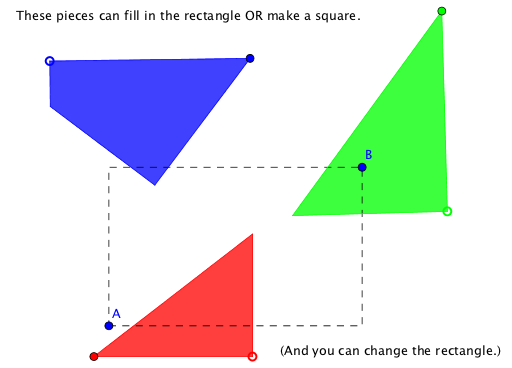
This example demonstrates the transformation of a triangle into a rectangle through dissection. Key mathematical concepts include geometric transformations and polygons. Using GeoGebra commands such as PointIn, Polygon, and Rotate, a dynamic geometric figure is constructed. Suitable for middle school and above students to learn about geometric transformations and polygon properties.
GeoGebra Commands & Parameters
PointIn(w) → BPolygon(A, C, B, D) → poly1, a_1, c, b, dRotate(B, -90°, C) → B'Midpoint(A, B') → FCircle(F, A) → eIntersect(e, Line[B, C]) → G, HCircle(C, G) → gIntersect(g, b, 1) → ISegment(C, I) → hOrthogonalLine(A, h) → iIntersect(i, h) → JPoint(Circle[K, Distance[A, J]]) → NPolygon(K, N, L) → poly2, l, k, nPoint(Circle[M, Distance[C, B]]) → OPolygon(M, O, P) → poly3, p, m, oPoint(Circle[Q, Distance[A, J]]) → RIntersect(Circle[S, Distance[I, D]], Circle[Q, Distance[A, D]]) → T, U, ,Polygon(Q, R, S, U) → poly4, q, r, s, uPolyLine(A, C, B, D, A) → j
AI Drawing Prompt Reference
Draw a triangle ABC and transform it into a rectangle through dissection and rotation. Start by taking a point D on BC and constructing rectangle ABCD. Then rotate B' 90 degrees counterclockwise around C to get B', and connect AF to make a circle F. Use the intersection of circle F and line BC to form part of a rectangle. Continue constructing other rectangles and polygons to form a dynamic geometric figure composed of multiple rectangles and triangles.
The prompt above was compiled from the original drawing commands and is for reference only.