
Rectangle Construction
Loading the math board and drawing, please wait…
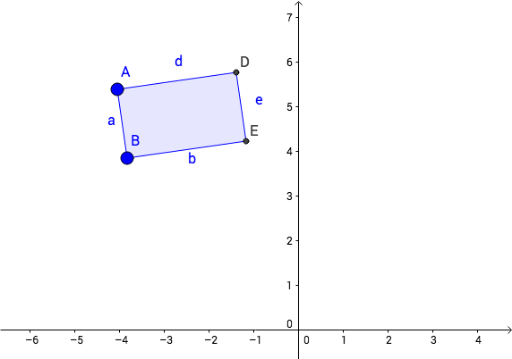
This example demonstrates how to construct a rectangle using GeoGebra, involving core mathematical concepts such as points, lines, intersections, and polygons. Key GeoGebra commands and objects used include Line, OrthogonalLine, Intersect, and Polygon. Suitable for middle school students and above to learn geometric construction methods.
GeoGebra Commands & Parameters
Line(A, B) → fLine(C, f) → gOrthogonalLine(A, f) → hIntersect(h, g) → DLine(B, h) → iIntersect(i, g) → EPolygon(A, B, E, D) → poly1, a, b, e, d
AI Drawing Prompt Reference
Draw a rectangle by first creating two intersecting line segments as diagonals, then finding the perpendicular bisectors of these segments and determining their intersection points with the diagonals, finally forming a quadrilateral with these four points to complete the rectangle.
The prompt above was compiled from the original drawing commands and is for reference only.