
Rectangle Construction with Cosine, Dilation, and 3D Vectors
Loading the math board and drawing, please wait…
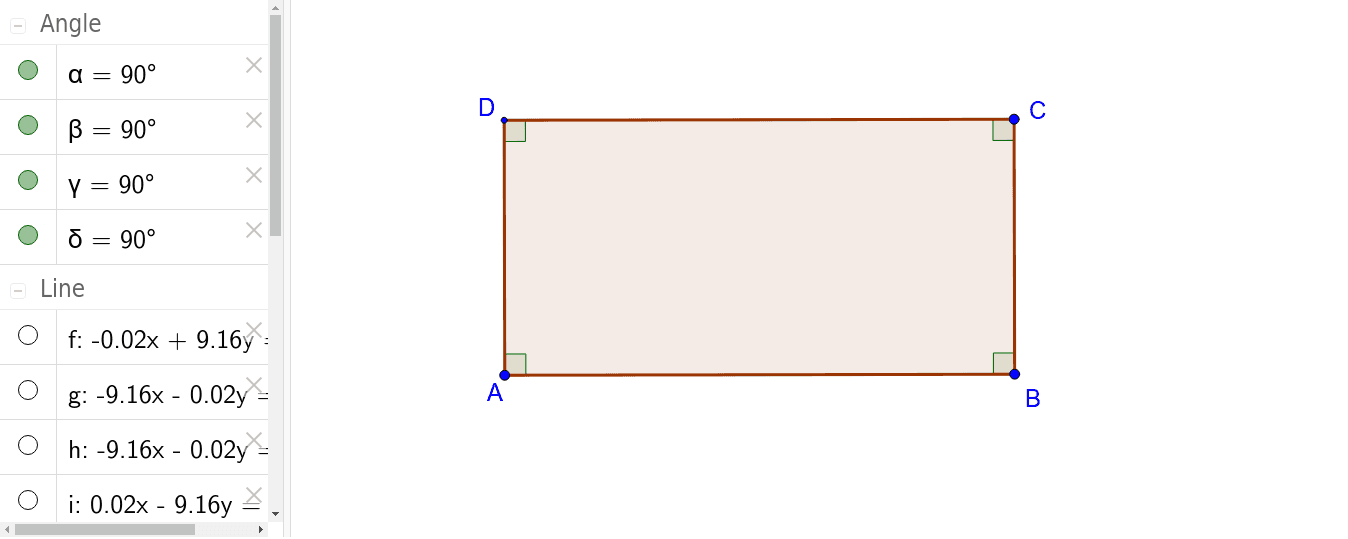
This example demonstrates how to construct a rectangle using geometric construction commands, and further illustrates its connections to cosine, dilation, square, three-dimensional vectors, and bar charts. The core mathematical concepts include the definition and properties of rectangles, the application of the cosine function in angle calculations, similarity transformations through dilation, and vector representation in 3D space. Construction highlights: using GeoGebra commands such as Line, OrthogonalLine, Point, Intersect, Polygon, and Angle, the example sequentially creates lines f, g, h, intersection points C and D, polygon poly1, sides b, c, d, a, and angles α, β, γ, δ. This example is suitable for middle and high school geometry instruction, helping students understand the rigorous steps of rectangle construction while extending to trigonometry, transformations, and vector applications. It also serves as a practical demonstration of multi-tool collaborative construction in GeoGebra.
GeoGebra Commands & Parameters
Line(A, B) → fOrthogonalLine(A, f) → gOrthogonalLine(B, f) → hPoint(h) → COrthogonalLine(C, h) → iIntersect(g, i) → DPolygon(B, C, D, A) → poly1, b, c, d, aAngle(poly1) → α, β, γ, δ
AI Drawing Prompt Reference
Draw a rectangle by first creating two perpendicular line segments to form two sides of the rectangle, then draw two more perpendicular segments from the ends of these lines, find their intersections, and form a quadrilateral with these four points, labeling the angles inside the rectangle.
The prompt above was compiled from the original drawing commands and is for reference only.