
Rectangle Construction Using Orthogonal Lines and Polygon
Loading the math board and drawing, please wait…
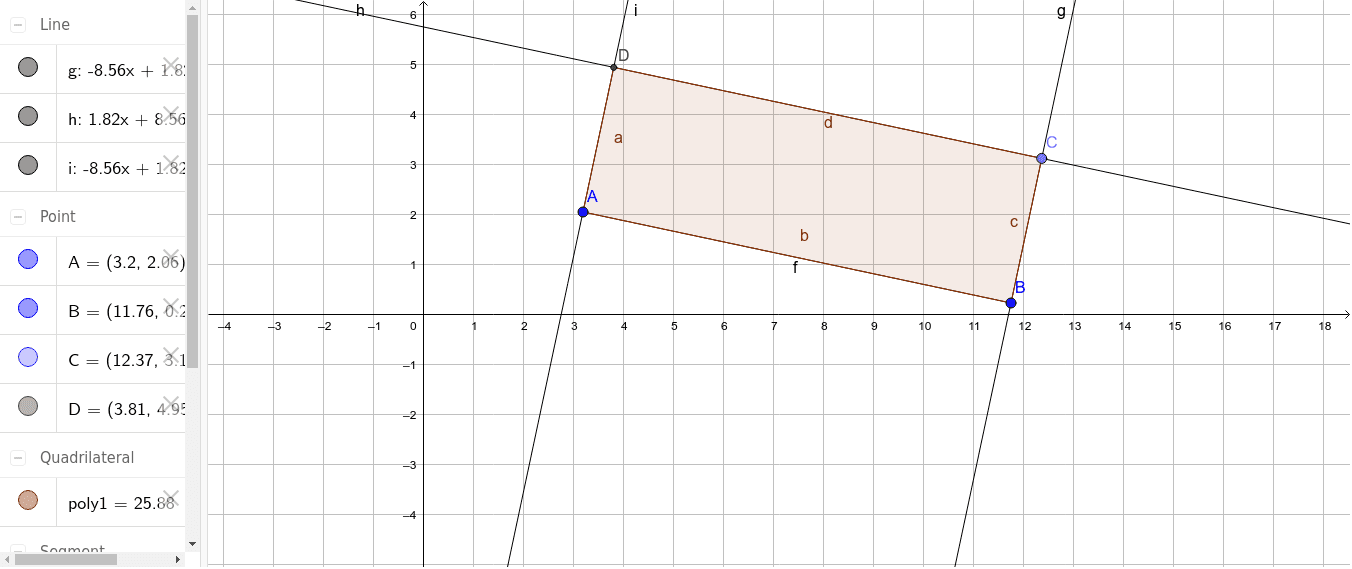
①This example demonstrates how to construct a rectangle in GeoGebra using orthogonal lines, segments, and intersection points. ②The core mathematical concepts involved are the rectangle's properties: opposite sides equal, all interior angles right angles, and the use of orthogonal lines to ensure perpendicularity. ③Construction details: According to the construction summary, the applet uses the Segment command to draw the four sides, OrthogonalLine to generate perpendiculars for locating vertices, Point to mark key points, Line to draw auxiliary lines, Intersect to find intersection points, and finally Polygon to close the shape into a rectangle; objects include points A, B, C, D and generated lines f, g, h, i as well as polygon poly1. ④Suitable for middle school geometry classes; students can drag points A and B to observe how the rectangle changes, reinforcing understanding of rectangle properties and classical compass-and-straightedge construction techniques.
GeoGebra Commands & Parameters
Segment(A, B) → fOrthogonalLine(B, f) → gPoint(g) → CLine(C, f) → hOrthogonalLine(A, f) → iIntersect(h, i) → DPolygon(D, C, B, A) → poly1, d, c, b, a
AI Drawing Prompt Reference
Draw a rectangle using two line segments as opposite sides, generate vertices with perpendicular lines, and find diagonal vertices with intersection points. The rectangle consists of four points, and perpendicular lines ensure the shape is correct, suitable for geometry learning.
The prompt above was compiled from the original drawing commands and is for reference only.