
Rectangle Construction by John Foster
Loading the math board and drawing, please wait…
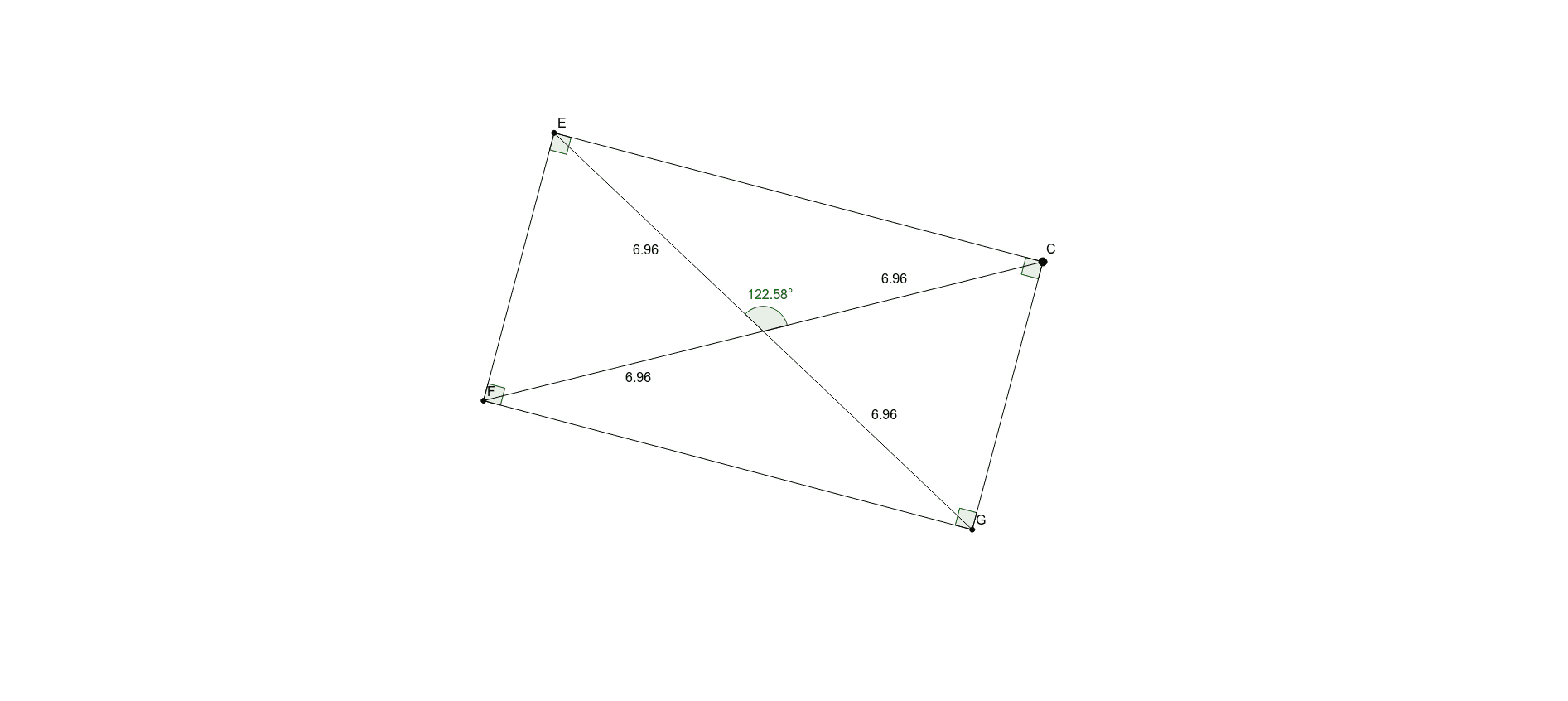
This example demonstrates the construction of a rectangle. Key mathematical concepts include geometric mean, arithmetic operations, and angles. Using GeoGebra commands such as Line, OrthogonalLine, and Intersect, a rectangle can be constructed. Suitable for students at the junior high school level and above for geometric construction.
GeoGebra Commands & Parameters
Line(B, C) → fOrthogonalLine(A, f) → gOrthogonalLine(D, g) → hIntersect(f, g) → EIntersect(g, h) → FOrthogonalLine(C, h) → iIntersect(h, i) → GPolygon(E, F, G, C) → poly1, e, f_1, g_1, cSegment(E, G) → jSegment(C, F) → kIntersect(j, k) → HAngle(C, H, E) → αSegment(E, H) → lSegment(C, H) → mSegment(F, H) → nSegment(G, H) → pAngle(poly1) → β, γ, δ, ε
AI Drawing Prompt Reference
Draw a rectangle by constructing lines f, g, and h through points A, B, C, and D, then find intersection points E, F, and G. Use these points and point C to form the rectangle. Pay attention to the measurement of angle α and the internal angles β, γ, δ, and ε of the rectangle.
The prompt above was compiled from the original drawing commands and is for reference only.