
Isosceles Trapezoid Construction by John Foster
Loading the math board and drawing, please wait…
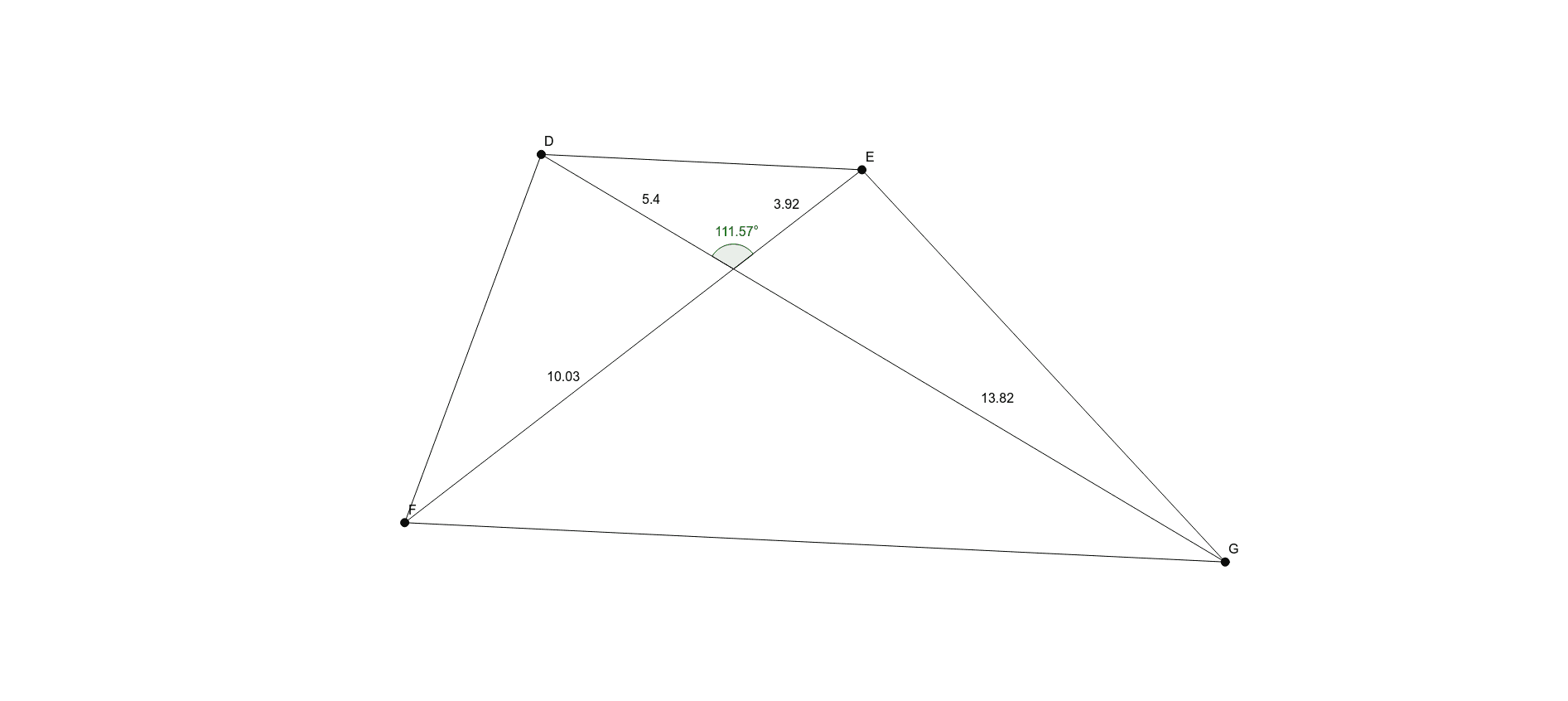
This example demonstrates the construction of an isosceles trapezoid. Key mathematical concepts include the properties of trapezoids, midlines, and polynomial functions. Using GeoGebra commands such as Line, Point, Polygon, Intersect, Segment, and Angle, the construction process is clearly illustrated. Suitable for middle school and above students or teachers.
GeoGebra Commands & Parameters
Line(A, B) → fLine(C, f) → gPoint(f) → DPoint(f) → EPoint(g) → FPoint(g) → GPolygon(D, F, G, E) → poly1, d, f_1, g_1, eLine(D, G) → hLine(E, F) → iIntersect(h, i) → HSegment(D, H) → jSegment(H, G) → kSegment(E, H) → lSegment(H, F) → mAngle(E, H, D) → αAngle(poly1) → β, γ, δ, ε
AI Drawing Prompt Reference
Draw a horizontal line, then a parallel line above it. Place two points on each line. Connect these four points in order to form a quadrilateral. Then draw the two diagonals of this quadrilateral; they intersect at a point. From this intersection point, draw segments to each of the four vertices, dividing the quadrilateral into four triangles. Finally, mark the angle at one vertex of a small triangle and display the measures of the four interior angles of the quadrilateral. The overall shape is an isosceles trapezoid with parallel bases and equal legs.
The prompt above was compiled from the original drawing commands and is for reference only.