
Rectangle and Circumcircle Construction
Loading the math board and drawing, please wait…
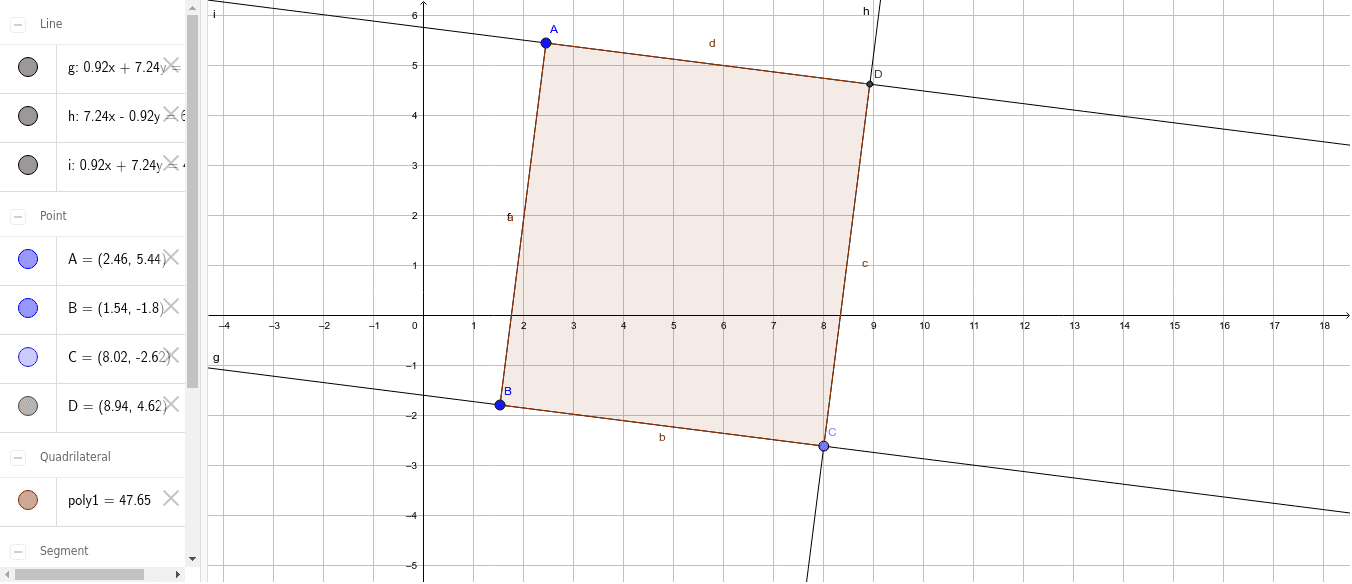
This example demonstrates the geometric relationship between a rectangle and its circumcircle by constructing them. Key math concepts include rectangle properties, circumcircle, square, and dilation. Construction involves commands like Segment, OrthogonalLine, Point, Line, Intersect, and Polygon. Suitable for high school mathematics to understand the geometric relationships and transformations of polygons and circles.
GeoGebra Commands & Parameters
Segment(A, B) → fOrthogonalLine(B, f) → gPoint(g) → CLine(C, f) → hOrthogonalLine(A, h) → iIntersect(h, i) → DPolygon(A, B, C, D) → poly1, a, b, c, d
AI Drawing Prompt Reference
Draw a rectangle and its circumcircle. Start by connecting two points to form one side of the rectangle, then draw perpendicular lines from the endpoints to form the other three sides. Finally, draw a circle using the four vertices of the rectangle to show the geometric relationship between the rectangle and its circumcircle.
The prompt above was compiled from the original drawing commands and is for reference only.