
Rectangle and Centroid Demo
Loading the math board and drawing, please wait…
In collections
Perimeter and Area in the Coordinate Plane (Rectangles)
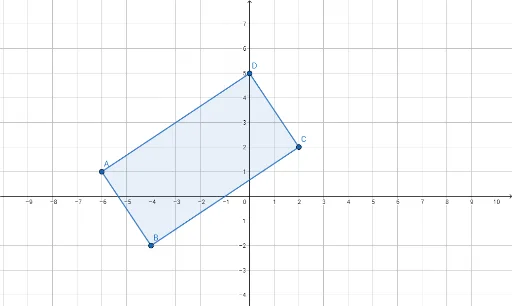
This example demonstrates how to construct a rectangle and calculate its centroid, involving core math concepts like polygon construction, centroid calculation, area formula, exponent, standard deviation, and logarithm. It uses GeoGebra commands such as Point and Polygon. Suitable for high school mathematics teaching to understand the properties of geometric figures and the application of statistics.
GeoGebra Commands & Parameters
Point(yAxis) → DPolygon(A, B, C, D) → q1, a, b, c, d
AI Drawing Prompt Reference
Draw a rectangle and find its centroid. Start by drawing a point D on the y-axis, then draw three points A, B, and C to the right and left of D to form a rectangle. Connect these four points to form a quadrilateral. This quadrilateral is the rectangle we want to draw, and its centroid is a point inside the quadrilateral.
The prompt above was compiled from the original drawing commands and is for reference only.