
Recognizing Trigonometric Ratios
Loading the math board and drawing, please wait…
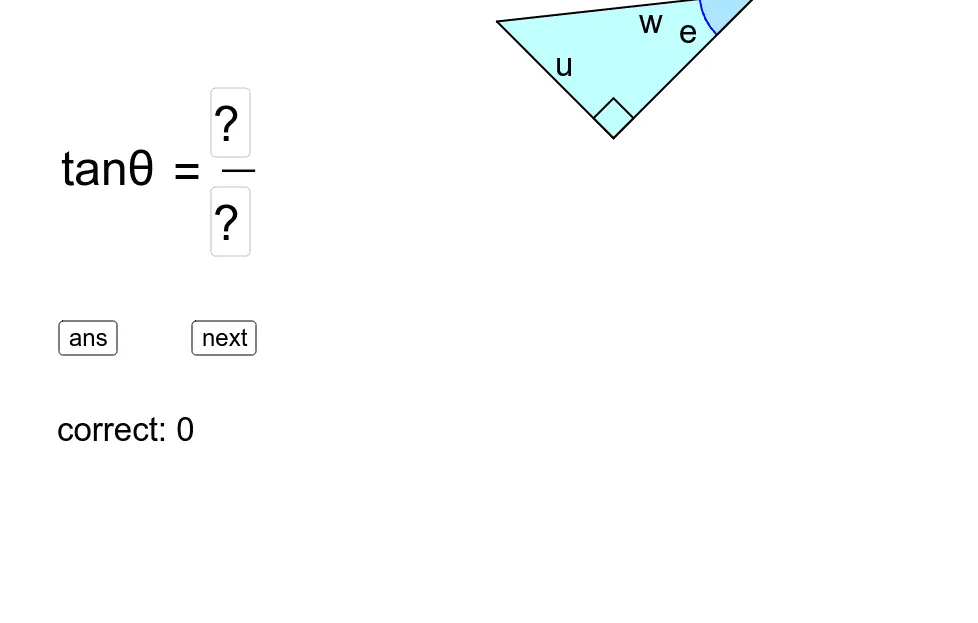
This example demonstrates how to identify trigonometric ratios by recognizing sides and angles in a triangle. The key mathematical concepts involved include trigonometry, similar triangles, and geometric construction. The construction uses GeoGebra commands such as RandomElement, Polygon, Angle, and Centroid to create the triangle and facilitate side and angle identification. It is suitable for middle or high school students to reinforce trigonometric concepts and improve geometric construction skills.
GeoGebra Commands & Parameters
RandomElement(Sequence[i, i, 0, 345, 15]) → tRandom(4, 8) → aRandom(4, 8) → bPolygon(O, A, B) → poly1, sideA, sideH, sideOAngle(A, O, B) → αAngle(O, A, B) → thetaTextfield(textAns1) → inputBox1Textfield(textAns2) → inputBox2Centroid(poly1) → PRandomElement({"sin", "cos", "tan"}) → ratioIf(ratio ≟ "sin", correctSin, If[ratio ≟ "cos", correctCos, If[ratio ≟ "tan", correctTan]]) → correctShuffle({"a", "b", "c", "e", "f", "g", "h", "i", "k", "m", "n", "p", "r", "s", "t", "u", "w", "x", "y", "z"}) → listLetter
AI Drawing Prompt Reference
Draw a triangle with random angles and side lengths, label the two sides and corresponding angles, and mark the midpoints of the three sides inside the triangle. Additionally, draw a perpendicular line from a randomly chosen vertex to the opposite side, and display a random trigonometric ratio (sin, cos, or tan) outside the triangle. Ensure the drawing is clear with precise labels.
The prompt above was compiled from the original drawing commands and is for reference only.