
Recognize Object Shapes and Drag Matching Geometric Figures
Loading the math board and drawing, please wait…
In collections
Recognizing Geometric Figures
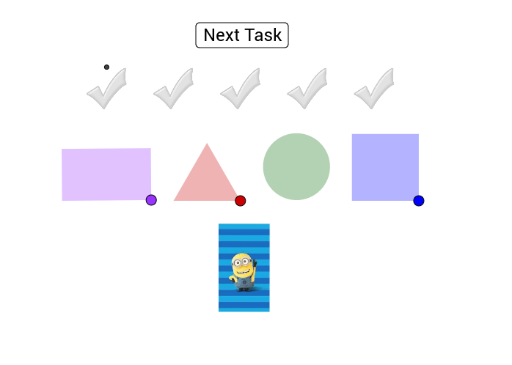
This interactive GeoGebra example presents a shape-recognition game where learners observe displayed objects and drag the corresponding geometric figure (circle, rectangle, square, etc.) onto them to match. It demonstrates fundamental concepts of plane geometry, including shape identification, classification, and properties such as sides, angles, and symmetry. The construction uses GeoGebra commands like Circle, Point, Segment, OrthogonalLine, Intersect, Polygon, Rechteck (rectangle), Dreieck (triangle), Quadrat (square), Distance, and Corner to create precise standard shapes and measure their attributes. Suitable for upper elementary or middle school students, this activity enhances spatial reasoning, geometric intuition, and hands-on interaction, making it an engaging warm-up or reinforcement exercise in mathematics classrooms.
GeoGebra Commands & Parameters
Circle(A, 2.33) → cPoint(Circle[A, 4]) → ESegment(A, E) → jOrthogonalLine(A, j) → fOrthogonalLine(E, j) → gIntersect(c, f) → B, COrthogonalLine(C, f) → hIntersect(g, h) → DPolygon(A, E, D, C) → Vieleck1, a, e, d, c_1Rechteck(F) → Vieleck2, GRechteck(H) → Vieleck3, IRechteck(J) → Vieleck4, KRechteck(L) → Vieleck5, MPoint(Circle[R, 3]) → SSegment(R, S) → iCircle(R, S) → kCircle(S, R) → pIntersect(k, p, 1) → TPolygon(R, S, T) → Vieleck8, t, r, sDreieck(U) → Vieleck9, VDreieck(W) → Vieleck10, ZDreieck(A_1) → Vieleck11, B_1Dreieck(C_1) → Vieleck12, D_1Dreieck(E_1) → Vieleck13, F_1Circle(G_1, 1.5) → qCircle(H_1, 1.5) → d_1Circle(I_1, 1.5) → e_1Circle(J_1, 1.5) → f_1Circle(K_1, 1.5) → g_1Circle(L_1, 1.5) → h_1Point(Circle[M_1, 3]) → N_1Segment(M_1, N_1) → lOrthogonalLine(M_1, l) → mOrthogonalLine(N_1, l) → nCircle(M_1, N_1) → k_1Circle(N_1, M_1) → p_1Intersect(k_1, m, 2) → O_1Intersect(p_1, n, 2) → P_1Polygon(O_1, M_1, N_1, P_1) → Vieleck14, o_1, m_1, n_1, p_2Quadrat(Q_1) → Vieleck15, R_1Quadrat(S_1) → Vieleck16, T_1Quadrat(U_1) → Vieleck17, V_1Quadrat(W_1) → Vieleck18, Z_1Quadrat(A_2) → Vieleck19, B_2Distance(S_2, T_2) → bCorner(towel, 3) → U_2Corner(towel, 4) → V_2Polygon(S_2, T_2, U_2, V_2) → Vieleck20, s_2, t_2, u_2, v_2Corner(eurobill, 3) → C_3Corner(eurobill, 4) → D_3Polygon(A_3, B_3, C_3, D_3) → Vieleck7, a_3, b_3, c_3, d_3
AI Drawing Prompt Reference
Draw a geometric figure with circles, rectangles, squares, and triangles. Start by drawing a circle, then take two points on the circle and connect them to the center, drawing perpendicular lines to these connections to find their intersections and form a quadrilateral. Next, draw four rectangles, squares, and triangles, each connected to the quadrilateral's vertices. Finally, draw some small circles and vertical lines to form a smaller quadrilateral.
The prompt above was compiled from the original drawing commands and is for reference only.