
Ratio & Proportion Puzzle: Verify Rules via Geometric Construction
Loading the math board and drawing, please wait…
In collections
ગણિત ની પઝલ્સ
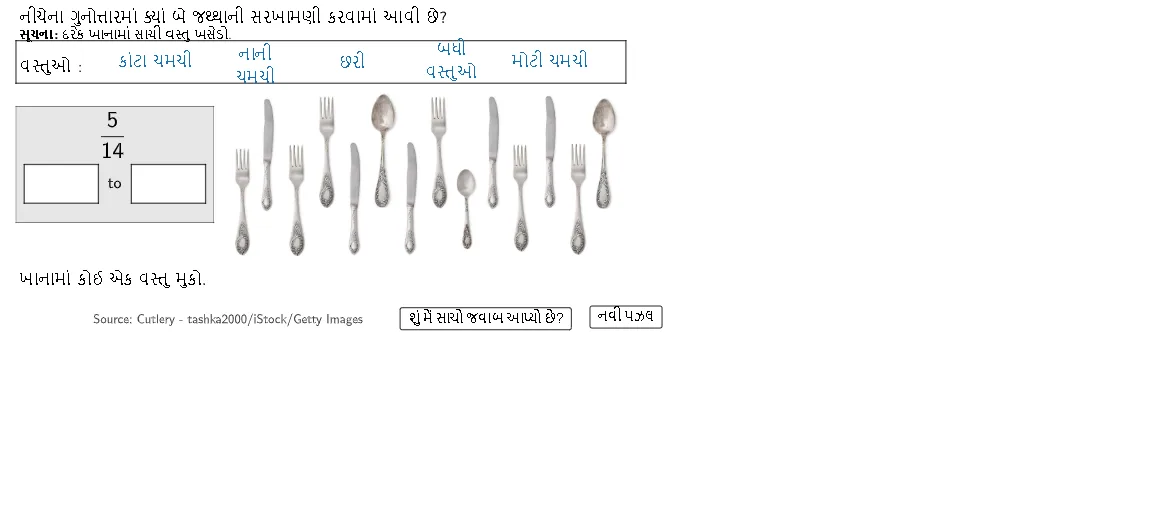
This example demonstrates, through an interactive geometry setup, how ratio and proportion relationships remain consistent (or change predictably) under different point selections and constructions. The key math concepts are ratio (e.g., a:b), proportion, and the geometric conditions that produce proportional constraints. Construction highlights extracted from the provided GeoGebra command summary: Polygon is used to build the polygonal framework, while Element organizes and controls the drawable objects. Multiple center/reference points (Point1Centre through Point5Centre) represent the key locations tied to different ratio types. Input boxes such as Ratio1Box and aBox/bBox/cBox/dBox are used to supply parameters and target values. RatioTypes and Ratio1Type select the proportion/ratio mode, and objects like Ratio1, Ratio1Point, and Ratio2Point place computed ratio results into the figure. Additional function/rule objects (f, g, h, i, together with aNum/bNum/cNum/dNum) drive calculations and visualization, while TryAnother, Instructions, and Feedback support iterative attempts and guided verification. Suitable for middle and high school ratio-and-proportion lessons, as well as inquiry-based practice and contest preparation.
GeoGebra Commands & Parameters
Polygon((0, 1), (4.8, 1), (4.8, 4), (0, 4)) → Ratio1Box, f, g, h, iPolygon((0, 5.7), (14.8, 5.7), (14.8, 4.6), (0, 4.6)) → ItemBox, n, p, q, rPolygon((0.2, 2.5), (2, 2.5), (2, 1.5), (0.2, 1.5)) → aBox, j, k, l, mPolygon((2.8, 2.5), (4.6, 2.5), (4.6, 1.5), (2.8, 1.5)) → bBox, s, t, a, bPolygon(Point1Centre, Point1Centre + (2, 0), Point1Centre + (2, -1), Point1Centre + (0, -1)) → DragBox1, p_1, q_1, r_1, d_2Polygon(Point2Centre, Point2Centre + (2, 0), Point2Centre + (2, -1), Point2Centre + (0, -1)) → DragBox2, s_1, t_1, a_1, e_2Polygon(Point3Centre, Point3Centre + (2, 0), Point3Centre + (2, -1), Point3Centre + (0, -1)) → DragBox3, b_1, c_1, d_1, f_3Polygon(Point4Centre, Point4Centre + (2, 0), Point4Centre + (2, -1), Point4Centre + (0, -1)) → DragBox4, e_1, f_2, g_2, g_3Polygon(Point5Centre, Point5Centre + (2, 0), Point5Centre + (2, -1), Point5Centre + (0, -1)) → DragBox5, h_2, i_2, j_2, h_3Element(CurrentItems, 1, 3) → oPolygon((10.2, 0.7), (10.35, 0.7), (10.35, 1.1), (10.2, 1.1)) → WhiteCover1, k_2, l_2, m_2, n_2Polygon((7, 2.6), (7, 3), (7.1, 3), (7.1, 2.6)) → WhiteCover2, p_2, q_2, r_2, s_2Polygon((13.6, 2.9), (13.6, 3.3), (13.75, 3.3), (13.75, 2.9)) → WhiteCover3, t_2, a_2, b_2, c_2
AI Drawing Prompt Reference
Draw a graphic with multiple rectangles. The graphic should have a large rectangle as a base framework, surrounded by four smaller rectangles in different positions. There should also be some center points to adjust the relative positions of the rectangles. Include input boxes for setting parameters and calculation objects to display ratio relationships. The overall graphic should clearly illustrate the concepts of ratio and proportion, suitable for teaching and practice.
The prompt above was compiled from the original drawing commands and is for reference only.