
Random Point Catch GeoGebra Activity
Loading the math board and drawing, please wait…
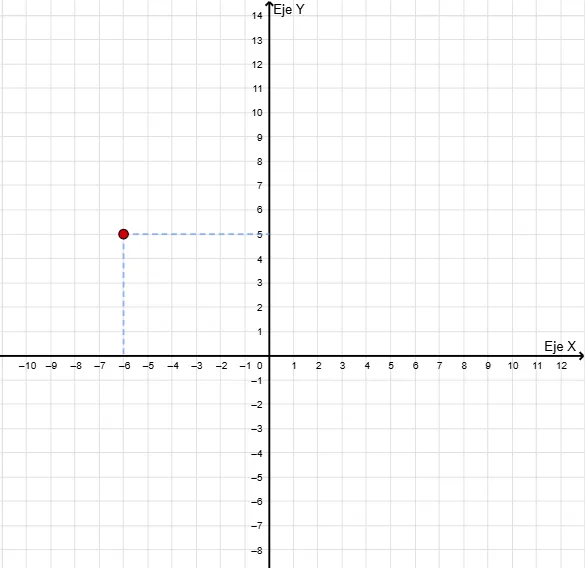
This GeoGebra example presents an interactive ‘catch the point’ activity built with the Random, Segment, and Sequence commands. A dependent point P is generated through list constructions and button triggers, allowing users to re-randomize and observe its motion alongside associated segments and lists. The demonstration covers core concepts such as random number generation, sequence-based point creation, dependent coordinate geometry, and dynamic geometric construction. It is suitable for middle school to high school mathematics, serving as a visual tool for random experiments, sequence logic, and the effect of commands on point movement in a coordinate plane.
GeoGebra Commands & Parameters
Random(-10, 11) → aRandom(-8, 10) → bSegment(P, (x(P), 0)) → eSegment(P, (0, y(P))) → fSequence(Line[(k, 0), (k, 1)], k, -15, 25) → lista1Sequence(Line[(0, k), (1, k)], k, -12, 15) → lista2
AI Drawing Prompt Reference
Draw a coordinate system with a point P whose x and y coordinates are randomly generated between -10 and 11, and -8 and 10, respectively. Connect P to the x-axis and y-axis with line segments. Additionally, create evenly spaced line segments parallel to the x-axis from -15 to 25 and to the y-axis from -12 to 15, forming a grid to visualize the dynamic movement of point P and its coordinate geometry relationships.
The prompt above was compiled from the original drawing commands and is for reference only.