
Quiz: Writing Equivalent Rates
Loading the math board and drawing, please wait…
In collections
Proportional Relationships
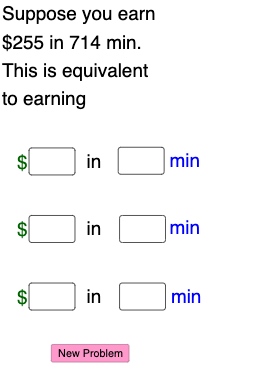
This example demonstrates how to create an interactive quiz in GeoGebra to help students understand and practice writing equivalent rates. It involves core math concepts like ratios, proportions, algebraic operations, linear equations, and geometric transformations. Key GeoGebra commands and objects used include PointIn, Random, Dilate, Vector, Segment, If, and Textfield for generating random geometric figures, transformations, and conditional text display. Suitable for middle school and above students for classroom practice and concept reinforcement.
GeoGebra Commands & Parameters
PointIn(g_1) → DRandom(1, 15) → y_1, 5Random(1, 15) → x_1, 14Random(20, 75) → k, 51Dilate(B, If[0 < a ≤ 1, 1 - a, 0], A) → B'Vector(B, B') → uDilate(A, If[2 < a ≤ 3, 3 - a, 0], (0, y(D))) → A'Vector(A, A') → vDilate(A', If[3 < a ≤ 4, 4 - a, 0], D) → C'Dilate(D, If[5 < a ≤ 6, 6 - a, 0], (x(D), y(D) + y(A'))) → D'Dilate(D', If[6 < a ≤ 7, 7 - a, 0], (x(D') + x(D), y(D'))) → E'Dilate(A, If[8 < a ≤ 9, 9 - a, 0], D) → A'_{1}Segment(A, A'_{1}) → gDilate(D, If[9 < a ≤ 10, 10 - a, 0], E) → D'_{1}Random(-10, 10) → b_1, 10Random(-10, 10) → n_1, 7Random(1, 10) → d_1, 8If(s ≥ 0, "earn", "lose") → text7If(d > 1, "hours", "hour") → text8Textfield(p) → InputBox3Textfield(o) → InputBox1If(o ≟ n_1 / d_1, "Yes!", "no") → text9If(p ≟ q, "Yes!", "no") → text10Vector(A', C') → wDilate(D, If[9 < a ≤ 10, 10 - a, 0], E') → D'_{2}Segment(D, D'_{2}) → hTextfield(p_1) → InputBox2Textfield(q_1) → InputBox4Textfield(k_1) → InputBox5Textfield(m_1) → InputBox7Textfield(o_1) → InputBox8Textfield(l_1) → InputBox6If(c1, "√", "×") → text21If(c2, "√", "×") → text20If(c3, "√", "×") → text22
AI Drawing Prompt Reference
Create an interactive geometry quiz showing random points, vectors, and geometric transformations. Start with a point, generate random coordinates, and use them to create points and vectors. Apply dilation and transformation to generate new shapes, connecting key points with line segments. Include text boxes and conditional text to display equivalent rates and transformation results.
The prompt above was compiled from the original drawing commands and is for reference only.