
Quiz: Graphing Linear Equations; Identifying Slope & y-intercept
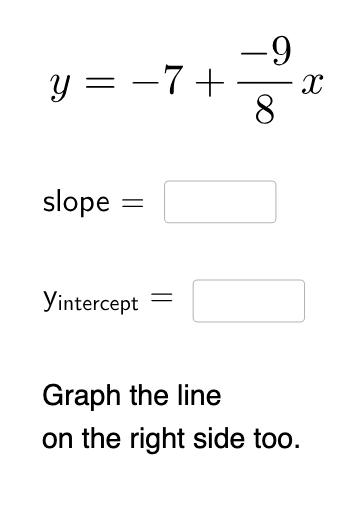
Loading the math board and drawing, please wait…
In collections
Introduction to Linear Functions and Graphs
This example demonstrates how to graph linear equations and identify their slope and y-intercept using GeoGebra. Commands like Random, RandomElement, Textfield, Point, Line are used, suitable for middle school and above students.
GeoGebra Commands & Parameters
Random(1, 2) → nRandom(-9, 9) → n_{1}Random(-9, 9) → bRandomElement(Sequence[i, i, 1, 9, 1]) → dTextfield(a) → InputBox1Textfield(c) → InputBox2Point(x = 0) → ALine(A, B) → iIntersect(eq1, p) → CVector(B, C) → uVector(C, A) → vPolygon(B, C, A) → t1, a_1, b_1, c_1Intersect(i, yAxis) → DIntersect(xAxis, yAxis) → EVector(E, D) → wFractionText(n_{1} / d) → text8
AI Drawing Prompt Reference
Draw a line in a coordinate plane passing through a fixed point near the origin and intersecting one of the axes. Mark the y-intercept where the line crosses the y-axis and draw a vector from the origin to this intercept point to represent its value. Generate a random fractional slope and display it as a fraction on the screen. Create a triangle to visually demonstrate the slope as a ratio of vertical change to horizontal change, where the numerator shows the rise and the denominator shows the run. Include two input text boxes allowing users to enter or modify the numerator and denominator of the slope, observing how the graph updates dynamically as values change.
The prompt above was compiled from the original drawing commands and is for reference only.