
Quiz: Adding Numbers - Level 4
Loading the math board and drawing, please wait…
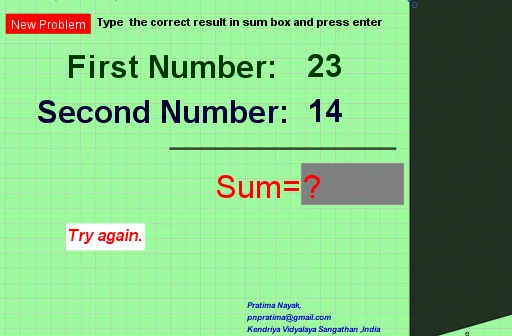
This interactive GeoGebra example is designed for practicing addition of numbers. It generates random addition problems and provides input fields for users to enter answers, with immediate feedback. The core mathematical concept is integer addition, focusing on summing numbers and verifying results. Construction highlights include using the Random command to generate addends, Textfield and InputBox2 for answer input, Segment and Polygon to build visual elements like buttons and shapes, and button1/button2 to control problem refresh and checking. Suitable for early elementary students or beginners in mathematics, it serves as an engaging tool for classroom practice or self-study.
GeoGebra Commands & Parameters
Random(11, 19) → bRandom(21, 39) → aTextfield(c) → InputBox2Segment(A, C) → fPolygon(D, E, F, G) → q1, d, e, f_1, g
AI Drawing Prompt Reference
Draw an interface for practicing integer addition with randomly generated numbers, showing two integers in a text box and an input box for user answers, along with a polygon formed by four points connected by two line segments to create button shapes.
The prompt above was compiled from the original drawing commands and is for reference only.