
Quick Distance Unit Conversions
Loading the math board and drawing, please wait…
In collections
Elementary Math Resources
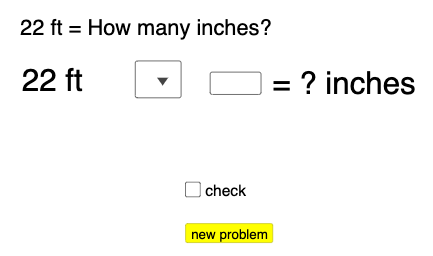
This example demonstrates quick exercises for unit conversions in distances (inches, feet, yards). It involves core math concepts like unit conversion, sequence generation, and conditional logic. Constructed using GeoGebra commands and objects such as Sequence, Random, If, Textfield, IndexOf, and objects like inchtofeetlist, feettoyardlist, etc. Suitable for middle school and above students for practice and teaching unit conversions.
GeoGebra Commands & Parameters
Sequence((12 * i), i, 1, 30, 1) → inchtofeetlist, {12, 24, 36, 48, 60, 72, 84, 96, 108, 120, 132, 144, 156, 168, 180, 192, 204, 216, 228, 240, 252, 264, 276, 288, 300, 312, 324, 336, 348, 360}Sequence(i, i, 1, 30, 1) → feettoinchlist, {1, 2, 3, 4, 5, 6, 7, 8, 9, 10, 11, 12, 13, 14, 15, 16, 17, 18, 19, 20, 21, 22, 23, 24, 25, 26, 27, 28, 29, 30}Sequence((3 * i), i, 1, 30, 1) → feettoyardlist, {3, 6, 9, 12, 15, 18, 21, 24, 27, 30, 33, 36, 39, 42, 45, 48, 51, 54, 57, 60, 63, 66, 69, 72, 75, 78, 81, 84, 87, 90}Sequence(i, i, 1, 30, 1) → yardtofeetlist, {1, 2, 3, 4, 5, 6, 7, 8, 9, 10, 11, 12, 13, 14, 15, 16, 17, 18, 19, 20, 21, 22, 23, 24, 25, 26, 27, 28, 29, 30}Random(1, 4) → n, 2If(n ≟ 1, RandomElement[inchtofeetlist], n ≟ 2, RandomElement[feettoinchlist], n ≟ 3, RandomElement[feettoyardlist], n ≟ 4, RandomElement[yardtofeetlist]) → aIf(n ≟ 1, "in", n ≟ 2, "ft", n ≟ 3, "ft", n ≟ 4, "yd") → text1If(n ≟ 1, "feet", n ≟ 2, "inches", n ≟ 3, "yards", n ≟ 4, "feet") → text4Textfield(b) → InputBox1If(IndexOf[SelectedElement[l1], l1] ≟ 2, (b * a), IndexOf[SelectedElement[l1], l1] ≟ 3, a / b, NaN) → cIf(n ≟ 1, c ≟ a / 12, n ≟ 2, c ≟ (a * 12), n ≟ 3, c ≟ a / 3, n ≟ 4, c ≟ (3 * a)) → eIndexOf(SelectedElement[l1], l1) → a_1
AI Drawing Prompt Reference
Create a graphic demonstrating distance unit conversions, including sequences for inches to feet, feet to inches, feet to yards, and yards to feet. Randomly select a unit for conversion practice, display the original value, conversion result, and unit labels, perform corresponding conversion calculations based on the selected unit, and finally show the converted result and unit.
The prompt above was compiled from the original drawing commands and is for reference only.