
Quadrilaterals: Square Pretenders
Loading the math board and drawing, please wait…
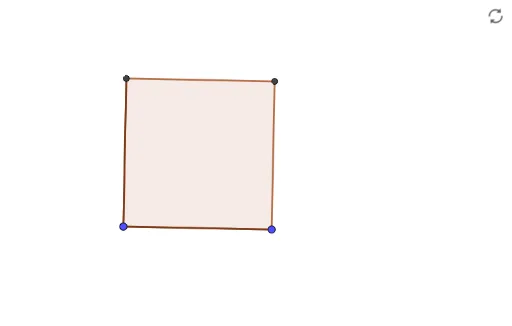
This interactive GeoGebra construction explores how to determine whether a quadrilateral is a true square by examining side lengths, angles, and diagonals, while exposing common 'pretenders' that look square but are not. Core mathematical concepts include quadrilateral classification, square criteria (all sides equal and all angles 90°), and properties of rhombi, rectangles, and kites. Construction details: using GeoGebra commands Segment, OrthogonalLine, Circle, Intersect, Line, and Polygon, the example builds points A, B, C, D with auxiliary lines f, g, c, h, i, j, and finally polygon q1 with sides a, b, d, e. Suitable for middle school geometry lessons or self-study, allowing students to drag vertices and observe changes to grasp the necessary and sufficient conditions for a square.
GeoGebra Commands & Parameters
Segment(A, B) → fOrthogonalLine(A, f) → gCircle(A, B) → cIntersect(c, g) → C, DSegment(A, D) → hLine(D, f) → iLine(B, g) → jIntersect(i, j) → EPolygon(B, A, D, E) → q1, b, a, d, e
AI Drawing Prompt Reference
Draw a quadrilateral to explore square criteria. Start with a horizontal base segment. From its left endpoint, construct a perpendicular line. Using the left endpoint as center and the base length as radius, draw a circle; it intersects the perpendicular at two points, choose the upper one as a vertex. Connect this vertex to the left endpoint to form a side. Through this vertex, draw a line parallel to the base; through the right endpoint, draw a line parallel to the perpendicular; these two lines intersect to give the fourth vertex. Connect the four vertices in order to form the quadrilateral, showing all sides. The figure should allow dragging vertices to observe changes in side lengths, angles, and diagonals, distinguishing true squares from look-alike non-squares.
The prompt above was compiled from the original drawing commands and is for reference only.