
Quadrilateral Area and Perimeter Quiz
Loading the math board and drawing, please wait…
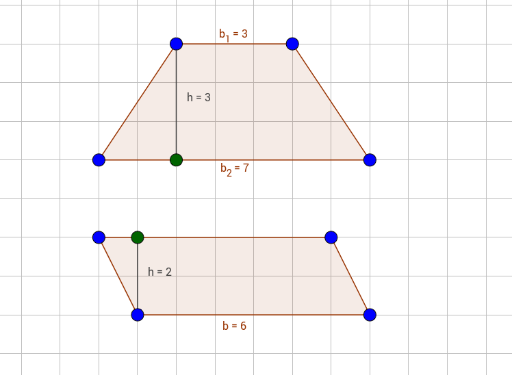
This example demonstrates how to calculate the area and perimeter of a quadrilateral using geometric construction. Key mathematical concepts include polygons, orthogonal lines, and segments. Using GeoGebra commands such as Polygon, OrthogonalLine, Intersect, and Segment, you can construct a quadrilateral and calculate its area and perimeter. Suitable for middle school and above students or teachers.
GeoGebra Commands & Parameters
Polygon(A, B, C, D) → poly1, a, b, c, dPolygon(E, F, G, H) → poly2, e, f, g, hOrthogonalLine(B, d) → iIntersect(i, d) → ISegment(I, B) → jOrthogonalLine(F, f) → kIntersect(k, h) → JSegment(F, J) → l
AI Drawing Prompt Reference
Draw a quadrilateral and show how to calculate its area and perimeter using geometric construction. Start by drawing the four sides of the quadrilateral. Then, from one vertex of a side, draw a perpendicular line to the opposite side and find the intersection point. Next, draw a line segment from this intersection back to the original vertex, forming a new triangle. Repeat this process from another vertex, drawing a perpendicular line, finding the intersection, and connecting the points. Finally, display the quadrilateral along with the two new triangles, the related line segments, and intersection points to illustrate the geometric construction steps.
The prompt above was compiled from the original drawing commands and is for reference only.