
Quadratic Function and Circumcircle Construction
Loading the math board and drawing, please wait…
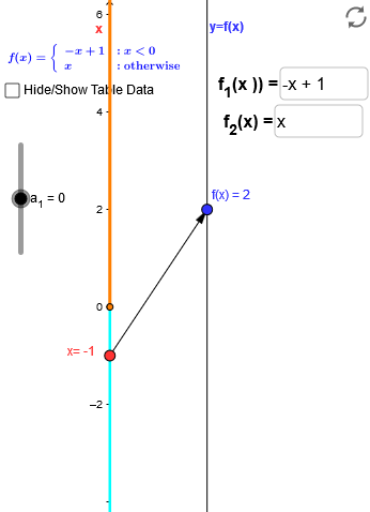
This example demonstrates the geometric construction of a quadratic function and a circumcircle. Key mathematical concepts include quadratic functions, circumcircle, and arithmetic mean. Using GeoGebra commands such as Point, Vector, Sequence, and Segment, the example dynamically illustrates the relationship between a quadratic function and a circle. Suitable for high school mathematics education and learning.
GeoGebra Commands & Parameters
Point(yAxis) → A_1Vector(A_1, B) → uSequence((k, f(k)), k, -3, 3, 0.5) → list2Sequence(Vector[(0, k), (2, f(k))], k, -3, 3, 0.5) → list1Segment((0, -5), (0, a_1)) → cSegment((0, a_1), (0, a_2)) → dTextfield(f_1) → inputBox1Textfield(f_2) → inputBox2Textfield(f_3) → inputBox3Textfield(f_1) → inputBox4Textfield(f_2) → inputBox5
AI Drawing Prompt Reference
Draw a quadratic function and its circumcircle. Start by taking a point A on the y-axis, then construct vector u through points A and B. Next, plot the quadratic function and create a point list list2 for points on the quadratic function. Then, construct a vector list list1 through these points, representing vectors from the origin to points on the quadratic function. Draw line segments c and d on the y-axis to indicate the intersection points of the quadratic function with the y-axis. Finally, use input boxes to adjust the coefficients of the quadratic function dynamically.
The prompt above was compiled from the original drawing commands and is for reference only.