
Quad Tools
Loading the math board and drawing, please wait…
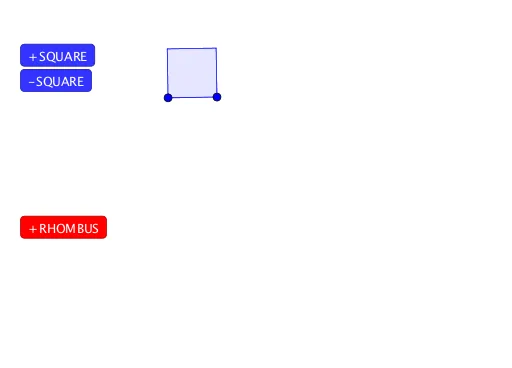
This example demonstrates the construction and properties of quadrilaterals, rhombuses, squares, and other shapes. It involves core mathematical concepts such as vectors, 3D space, distributions, hyperbolas, Pythagoras' theorem, and conditional probability. The construction uses commands like Polygon, Point, and Intersect. Suitable for high school and above mathematics education and geometric construction learning.
GeoGebra Commands & Parameters
Polygon(A, B, 4) → poly1, f, g, h, i, C, DPolygon(A_1, B_1, 4) → poly1_1, f_1, g_1, h_1, i_1, C_1, D_1Polygon(A_2, B_2, 4) → poly1_2, f_2, g_2, h_2, i_2, C_2, D_2Polygon(A_3, B_3, 4) → poly1_3, f_3, g_3, h_3, i_3, C_3, D_3Polygon(A_4, B_4, 4) → poly1_4, f_4, g_4, h_4, i_4, C_4, D_4Polygon(A_5, B_5, 4) → poly1_5, f_5, g_5, h_5, i_5, C_5, D_5Polygon(A_6, B_6, 4) → poly1_6, f_6, g_6, h_6, i_6, C_6, D_6Polygon(A_7, B_7, 4) → poly1_7, f_7, g_7, h_7, i_7, C_7, D_7Point(CircleArc[E, Rotate[F, -1°, E], Rotate[F, -179°, E]]) → GIntersect(Circle[G, E], Circle[F, E]) → H, I, ,Polygon(E, F, I, G) → q1, e, f_8, i_8, g_8Point(CircleArc[E_1, Rotate[F_1, -1°, E_1], Rotate[F_1, -179°, E_1]]) → G_1Intersect(Circle[G_1, E_1], Circle[F_1, E_1]) → H_1, I_1, ,Polygon(E_1, F_1, I_1, G_1) → q1_1, e_1, f_9, i_9, g_9Point(CircleArc[E_2, Rotate[F_2, -1°, E_2], Rotate[F_2, -179°, E_2]]) → G_2Intersect(Circle[G_2, E_2], Circle[F_2, E_2]) → H_2, I_2, ,Polygon(E_2, F_2, I_2, G_2) → q1_2, e_2, f_{10}, i_{10}, g_{10}Point(CircleArc[E_3, Rotate[F_3, -1°, E_3], Rotate[F_3, -179°, E_3]]) → G_3Intersect(Circle[G_3, E_3], Circle[F_3, E_3]) → H_3, I_3, ,Polygon(E_3, F_3, I_3, G_3) → q1_3, e_3, f_{11}, i_{11}, g_{11}Point(CircleArc[E_4, Rotate[F_4, -1°, E_4], Rotate[F_4, -179°, E_4]]) → G_4Intersect(Circle[G_4, E_4], Circle[F_4, E_4]) → H_4, I_4, ,Polygon(E_4, F_4, I_4, G_4) → q1_4, e_4, f_{12}, i_{12}, g_{12}Point(CircleArc[E_5, Rotate[F_5, -1°, E_5], Rotate[F_5, -179°, E_5]]) → G_5Intersect(Circle[G_5, E_5], Circle[F_5, E_5]) → H_5, I_5, ,Polygon(E_5, F_5, I_5, G_5) → q1_5, e_5, f_{13}, i_{13}, g_{13}Point(CircleArc[E_6, Rotate[F_6, -1°, E_6], Rotate[F_6, -179°, E_6]]) → G_6Intersect(Circle[G_6, E_6], Circle[F_6, E_6]) → H_6, I_6, ,Polygon(E_6, F_6, I_6, G_6) → q1_6, e_6, f_{14}, i_{14}, g_{14}Point(CircleArc[E_7, Rotate[F_7, -1°, E_7], Rotate[F_7, -179°, E_7]]) → G_7Intersect(Circle[G_7, E_7], Circle[F_7, E_7]) → H_7, I_7, ,Polygon(E_7, F_7, I_7, G_7) → q1_7, e_7, f_{15}, i_{15}, g_{15}
AI Drawing Prompt Reference
Draw multiple quadrilaterals to demonstrate their construction and properties, including squares and rhombuses. Use vectors in 3D space to create these shapes and show their relationship with circles, hyperbolas, and Pythagoras' theorem. Start by drawing several squares, then construct quadrilaterals using the intersection points of circles, and finally combine these shapes to form a complex geometric pattern.
The prompt above was compiled from the original drawing commands and is for reference only.