
Pythagorean Theorem with Coordinates
Loading the math board and drawing, please wait…
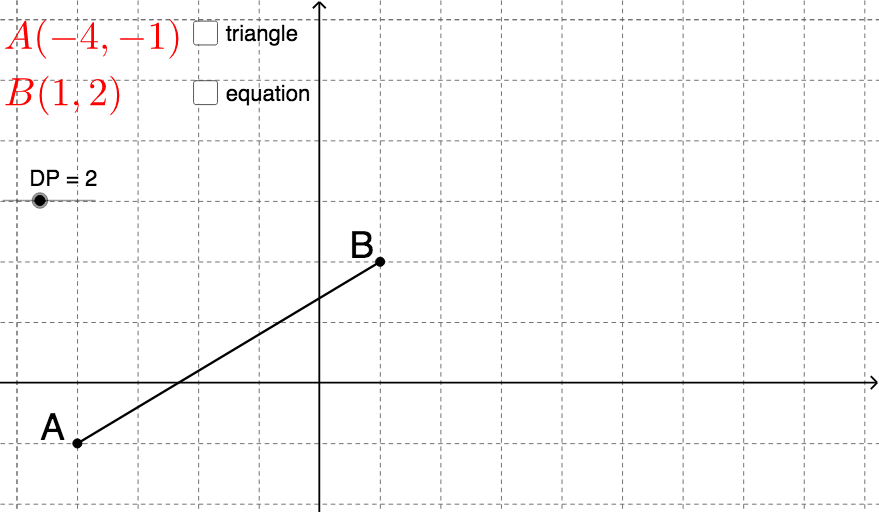
This example demonstrates how to calculate the distance between two points using coordinates, with the core mathematical concept being the Pythagorean Theorem. Using the commands from the construction summary, you can create a segment between two points, calculate the slope, draw a perpendicular line, find the intersection, and draw a polygon. Suitable for middle school students learning coordinate geometry.
GeoGebra Commands & Parameters
If(y(A) < 0, ")", "") → brY_ARIf(y(A) < 0, "(", "") → brY_ALIf(x(A) < 0, ")", "") → brX_ARIf(x(A) < 0, "(", "") → brX_ALIf(c / d < 0, "-", "") → signGCD(c, d) → HCFIf(c > 0 ∧ d > 0 ∧ HCF < 2 ∧ d ≠ 1, "", If[den ≟ 0, "= undefined", If[den ≠ 1, "=" + sign + "\frac{" + num + "}{" + den + "}", "=" + sign + num]]) → text11Segment(A, B) → aSlope(a) → bOrthogonalLine(A, line) → gOrthogonalLine(B, g) → hIntersect(g, h) → CIntersect(line, g) → DIntersect(g, h) → EIntersect(h, a) → FIntersect(line, g) → GPolygon(A, C, B) → poly1, a_1, b_1, c_1Midpoint(A, C) → HMidpoint(B, C) → I
AI Drawing Prompt Reference
Draw a right triangle ABC with A and B as the endpoints of the legs and C as the endpoint of the hypotenuse. First, draw segment AB, then draw two perpendicular lines from A and B respectively, and their intersection is point C. Next, draw a rectangle with A and C as vertices, and finally find the midpoints H and I of sides AC and BC respectively.
The prompt above was compiled from the original drawing commands and is for reference only.