
Pythagoras' Tree with Circles
Loading the math board and drawing, please wait…
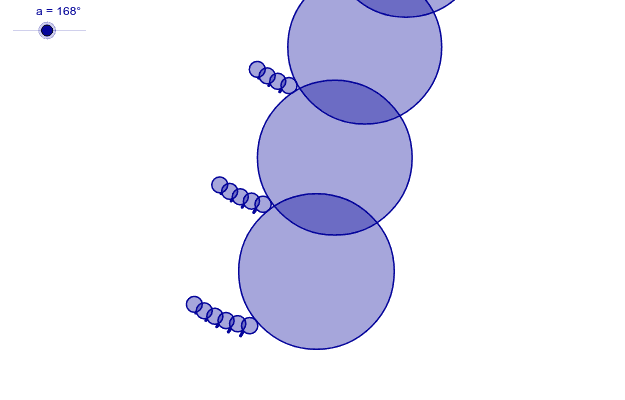
This example demonstrates the construction of a Pythagoras tree and its integration with circles. It involves core mathematical concepts such as the Pythagorean theorem, properties of circles, isosceles triangles, and transformations. The construction utilizes GeoGebra commands like Midpoint, Rotate, Polygon, and Circle, as outlined in the summary. It is suitable for high school mathematics education, providing an intuitive understanding of geometric transformations and the Pythagorean theorem.
GeoGebra Commands & Parameters
Midpoint(A, B) → CRotate(B, a, C) → B'Polygon(B', B, 4) → poly1, b', b, c, d, D, EPolygon(A, B', 4) → poly2, a_1, b'_1, e, f, F, GMidpoint(B', D) → HMidpoint(G, B') → IMidpoint(E, D) → JMidpoint(G, F) → KRotate(D, a, J) → D'Rotate(F, a, K) → F'Polygon(D', D, 4) → poly3, d', d_1, g, h, L, MPolygon(E, D', 4) → poly4, e_1, d'_1, i, j, N, OPolygon(F', F, 4) → poly5, f', f_1, k, l, P, QPolygon(G, F', 4) → poly6, g_1, f'_1, m, n, R, SMidpoint(D', L) → TMidpoint(O, D') → UMidpoint(F, Q) → VMidpoint(G, R) → WCircle(H, B) → pCircle(I, A) → qCircle(T, D) → rCircle(U, E) → sCircle(V, F) → tCircle(W, G) → c_1Tool2(M, L, a) → h_1, k_1, D_1, E_1, F_1, G_1, H_1, I_1, J_1, K_1, L_1, M_1, p_1, N_1, O_1, P_1, Q_1, R_1, S_1, T_1, U_1, V_1, W_1, q_1, r_1, s_1, Z, A_1, B_1, C_1Tool2(O, N, a) → t_1, c_2, D_2, E_2, F_2, G_2, H_2, I_2, J_2, K_2, L_2, M_2, d_2, N_2, O_2, P_2, Q_2, R_2, S_2, T_2, U_2, V_2, W_2, e_2, f_2, g_2, Z_1, A_2, B_2, C_2Tool2(Q, P, a) → h_2, k_2, D_3, E_3, F_3, G_3, H_3, I_3, J_3, K_3, L_3, M_3, p_2, N_3, O_3, P_3, Q_3, R_3, S_3, T_3, U_3, V_3, W_3, q_2, r_2, s_2, Z_2, A_3, B_3, C_3Tool2(S, R, a) → t_2, c_3, D_4, E_4, F_4, G_4, H_4, I_4, J_4, K_4, L_4, M_4, d_3, N_4, O_4, P_4, Q_4, R_4, S_4, T_4, U_4, V_4, W_4, e_3, f_3, g_3, Z_3, A_4, B_4, C_4Tool2(M_1, L_1, a) → h_3, k_3, D_5, E_5, F_5, G_5, H_5, I_5, J_5, K_5, L_5, M_5, p_3, N_5, O_5, P_5, Q_5, R_5, S_5, T_5, U_5, V_5, W_5, q_3, r_3, s_3, Z_4, A_5, B_5, C_5Tool2(O_1, N_1, a) → t_3, c_4, D_6, E_6, F_6, G_6, H_6, I_6, J_6, K_6, L_6, M_6, d_4, N_6, O_6, P_6, Q_6, R_6, S_6, T_6, U_6, V_6, W_6, e_4, f_4, g_4, Z_5, A_6, B_6, C_6Tool2(Q_1, P_1, a) → h_4, k_4, D_7, E_7, F_7, G_7, H_7, I_7, J_7, K_7, L_7, M_7, p_4, N_7, O_7, P_7, Q_7, R_7, S_7, T_7, U_7, V_7, W_7, q_4, r_4, s_4, Z_6, A_7, B_7, C_7Tool2(S_1, R_1, a) → t_4, c_5, D_8, E_8, F_8, G_8, H_8, I_8, J_8, K_8, L_8, M_8, d_5, N_8, O_8, P_8, Q_8, R_8, S_8, T_8, U_8, V_8, W_8, e_5, f_5, g_5, Z_7, A_8, B_8, C_8Tool2(M_2, L_2, a) → h_5, k_5, D_9, E_9, F_9, G_9, H_9, I_9, J_9, K_9, L_9, M_9, p_5, N_9, O_9, P_9, Q_9, R_9, S_9, T_9, U_9, V_9, W_9, q_5, r_5, s_5, Z_8, A_9, B_9, C_9Tool2(O_2, N_2, a) → t_5, c_6, D_{10}, E_{10}, F_{10}, G_{10}, H_{10}, I_{10}, J_{10}, K_{10}, L_{10}, M_{10}, d_6, N_{10}, O_{10}, P_{10}, Q_{10}, R_{10}, S_{10}, T_{10}, U_{10}, V_{10}, W_{10}, e_6, f_6, g_6, Z_9, A_{10}, B_{10}, C_{10}Tool2(Q_2, P_2, a) → h_6, k_6, D_{11}, E_{11}, F_{11}, G_{11}, H_{11}, I_{11}, J_{11}, K_{11}, L_{11}, M_{11}, p_6, N_{11}, O_{11}, P_{11}, Q_{11}, R_{11}, S_{11}, T_{11}, U_{11}, V_{11}, W_{11}, q_6, r_6, s_6, Z_{10}, A_{11}, B_{11}, C_{11}Tool2(S_2, R_2, a) → t_6, c_7, D_{12}, E_{12}, F_{12}, G_{12}, H_{12}, I_{12}, J_{12}, K_{12}, L_{12}, M_{12}, d_7, N_{12}, O_{12}, P_{12}, Q_{12}, R_{12}, S_{12}, T_{12}, U_{12}, V_{12}, W_{12}, e_7, f_7, g_7, Z_{11}, A_{12}, B_{12}, C_{12}Tool2(M_3, L_3, a) → h_7, k_7, D_{13}, E_{13}, F_{13}, G_{13}, H_{13}, I_{13}, J_{13}, K_{13}, L_{13}, M_{13}, p_7, N_{13}, O_{13}, P_{13}, Q_{13}, R_{13}, S_{13}, T_{13}, U_{13}, V_{13}, W_{13}, q_7, r_7, s_7, Z_{12}, A_{13}, B_{13}, C_{13}Tool2(O_3, N_3, a) → t_7, c_8, D_{14}, E_{14}, F_{14}, G_{14}, H_{14}, I_{14}, J_{14}, K_{14}, L_{14}, M_{14}, d_8, N_{14}, O_{14}, P_{14}, Q_{14}, R_{14}, S_{14}, T_{14}, U_{14}, V_{14}, W_{14}, e_8, f_8, g_8, Z_{13}, A_{14}, B_{14}, C_{14}Tool2(Q_3, P_3, a) → h_8, k_8, D_{15}, E_{15}, F_{15}, G_{15}, H_{15}, I_{15}, J_{15}, K_{15}, L_{15}, M_{15}, p_8, N_{15}, O_{15}, P_{15}, Q_{15}, R_{15}, S_{15}, T_{15}, U_{15}, V_{15}, W_{15}, q_8, r_8, s_8, Z_{14}, A_{15}, B_{15}, C_{15}Tool2(S_3, R_3, a) → t_8, c_9, D_{16}, E_{16}, F_{16}, G_{16}, H_{16}, I_{16}, J_{16}, K_{16}, L_{16}, M_{16}, d_9, N_{16}, O_{16}, P_{16}, Q_{16}, R_{16}, S_{16}, T_{16}, U_{16}, V_{16}, W_{16}, e_9, f_9, g_9, Z_{15}, A_{16}, B_{16}, C_{16}Tool2(M_4, L_4, a) → h_9, k_9, D_{17}, E_{17}, F_{17}, G_{17}, H_{17}, I_{17}, J_{17}, K_{17}, L_{17}, M_{17}, p_9, N_{17}, O_{17}, P_{17}, Q_{17}, R_{17}, S_{17}, T_{17}, U_{17}, V_{17}, W_{17}, q_9, r_9, s_9, Z_{16}, A_{17}, B_{17}, C_{17}Tool2(O_4, N_4, a) → t_9, c_{10}, D_{18}, E_{18}, F_{18}, G_{18}, H_{18}, I_{18}, J_{18}, K_{18}, L_{18}, M_{18}, d_{10}, N_{18}, O_{18}, P_{18}, Q_{18}, R_{18}, S_{18}, T_{18}, U_{18}, V_{18}, W_{18}, e_{10}, f_{10}, g_{10}, Z_{17}, A_{18}, B_{18}, C_{18}Tool2(Q_4, P_4, a) → h_{10}, k_{10}, D_{19}, E_{19}, F_{19}, G_{19}, H_{19}, I_{19}, J_{19}, K_{19}, L_{19}, M_{19}, p_{10}, N_{19}, O_{19}, P_{19}, Q_{19}, R_{19}, S_{19}, T_{19}, U_{19}, V_{19}, W_{19}, q_{10}, r_{10}, s_{10}, Z_{18}, A_{19}, B_{19}, C_{19}Tool2(S_4, R_4, a) → t_{10}, c_{11}, D_{20}, E_{20}, F_{20}, G_{20}, H_{20}, I_{20}, J_{20}, K_{20}, L_{20}, M_{20}, d_{11}, N_{20}, O_{20}, P_{20}, Q_{20}, R_{20}, S_{20}, T_{20}, U_{20}, V_{20}, W_{20}, e_{11}, f_{11}, g_{11}, Z_{19}, A_{20}, B_{20}, C_{20}
AI Drawing Prompt Reference
Draw a Pythagoras tree composed of squares and circles. Start with a base segment, rotate it around its midpoint by a fixed angle, and construct two adjacent squares on the rotated segment to form the first branching level. Repeat this process on the outer sides of each new square, recursively expanding outward to create a symmetric fractal tree. At each outer vertex of every square, place a circle centered at that vertex with radius equal to the square's side length, so circles touch adjacent squares. The final image shows multiple layers of nested squares and circles, illustrating the Pythagorean theorem through geometric transformations.
The prompt above was compiled from the original drawing commands and is for reference only.