
Pythagoras' Theorem - Calculating the Hypotenuse
Loading the math board and drawing, please wait…
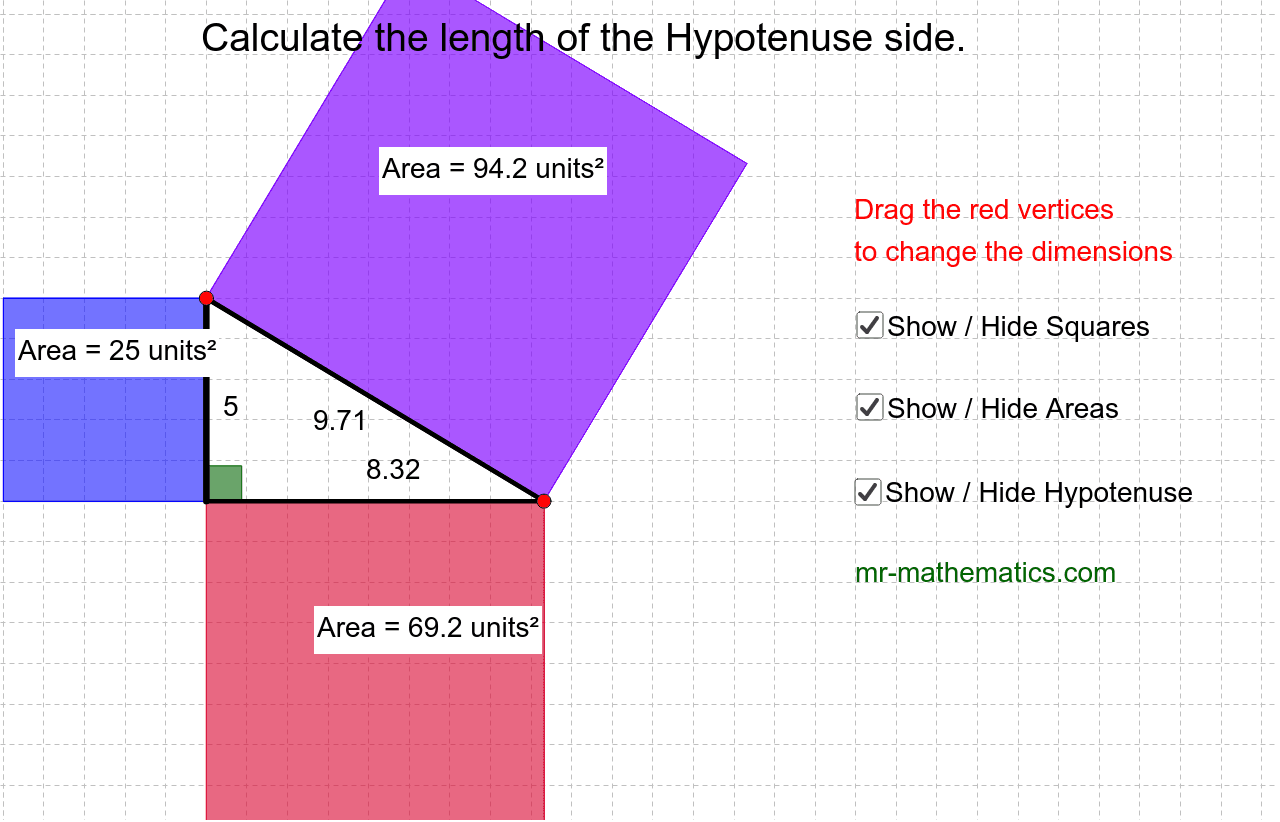
This example demonstrates how to use Pythagoras' Theorem to calculate the length of the hypotenuse in a right-angled triangle. Key mathematical concepts include the properties of right-angled triangles and Pythagoras' Theorem. By dragging the red vertices, you can change the dimensions of the triangle and observe the changes in the hypotenuse length. The construction uses commands such as Line, Point, Segment, Angle, Polygon, PointIn, and Intersect in GeoGebra. Suitable for middle school and above students learning geometry.
GeoGebra Commands & Parameters
Line(A, B) → aPoint(a) → CSegment(C, A) → bLine(A, D) → cPoint(c) → ESegment(E, A) → dSegment(C, E) → eAngle(E, A, C) → αPolygon(C, E, 4) → poly1, f, g, h, i, F, GPolygon(E, A, 4) → poly2, j, k, l, m, H, IPolygon(A, C, 4) → poly3, n, p, q, r, J, KLine(A_1, B_1) → a_1Point(a_1) → C_1Segment(C_1, A_1) → b_1Line(A_1, D_1) → c_1Point(c_1) → E_1Segment(E_1, A_1) → d_1Segment(C_1, E_1) → e_1Angle(E_1, A_1, C_1) → α_1PointIn(poly1) → Pointpoly1PointIn(poly2) → Pointpoly2PointIn(poly3) → Pointpoly3Segment(C, E) → f_1Intersect(b, d) → LSegment(L, C) → g_1Point(g_1) → M
AI Drawing Prompt Reference
Draw a right-angled triangle with labeled legs and hypotenuse. Allow vertices to be dragged to change the triangle's size, showing the hypotenuse length adjust. Cover the triangle's three regions with three quadrilaterals, labeling the three angles. Finally, draw a line segment from the intersection of the legs to the hypotenuse, forming an auxiliary line.
The prompt above was compiled from the original drawing commands and is for reference only.