
Pyramid Volume Calculation by Jônatas Inácio de Freitas
Loading the math board and drawing, please wait…
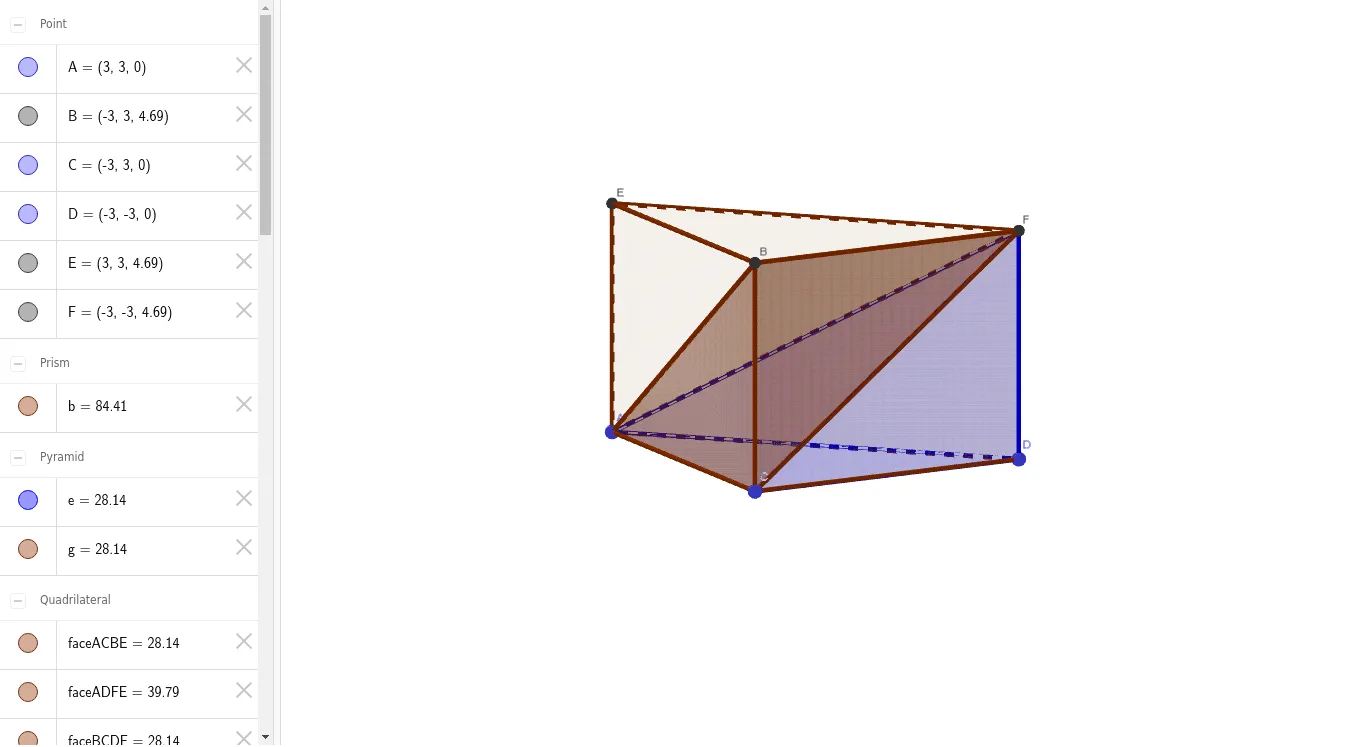
This example demonstrates how to construct a pyramid and calculate its volume using GeoGebra. Key math concepts include solid geometry, polygon construction, and volume formula application. Construction highlights involve commands like Polygon, Prism, Pyramid, and Segment. Suitable for high school mathematics teaching or self-study on 3D shape volume calculations.
GeoGebra Commands & Parameters
Polygon(C, A, D) → t1, d, c, aPrism(t1, -4.689437870133046) → b, B, arestaDF_1, arestaBE, arestaEF, arestaBF_1, E, F, faceACBE, faceADFE, faceBCDF, faceBEF, arestaBC_1, arestaAEPyramid(C, D, A, F) → e, faceACD, arestaAF_1, faceCDF, faceADF, faceACF_1, arestaCD, arestaAD, arestaAC_1, arestaCF_1, arestaDFSegment(C, F) → fPyramid(C, F, B, A) → g, faceBCF, arestaAB, faceACF, faceABF, faceABC, arestaCF, arestaBF, arestaBC, arestaAC, arestaAF
AI Drawing Prompt Reference
Create a 3D prism with a triangular base, extruded downward. Inside the prism, construct a pyramid whose apex lies on one edge of the prism's top face, with its base being the triangular bottom face of the prism. Then construct another pyramid sharing the same apex, with its base being the remaining part of the prism's bottom triangle. Finally, draw a segment connecting the apex to a vertex of the bottom triangle. Ensure all faces are visible, giving a clear perspective of the solid geometry.
The prompt above was compiled from the original drawing commands and is for reference only.