
Rotational Cone
Loading the math board and drawing, please wait…
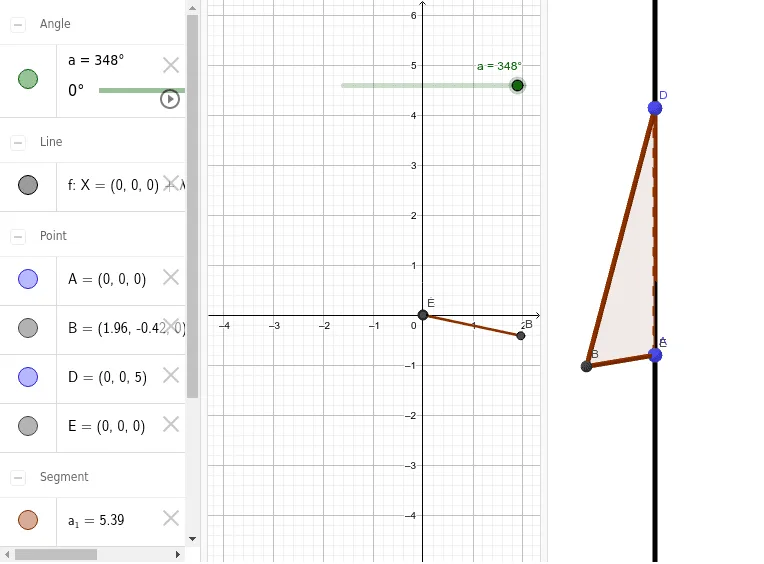
This example demonstrates the geometric construction of a rotational cone. Key mathematical concepts include solid geometry, specifically cones. Using GeoGebra commands such as Intersect, Line, and Polygon, the side surface of the cone can be unfolded and constructed. Suitable for high school geometry education or self-study.
GeoGebra Commands & Parameters
Intersect(xAxis, yAxis) → ELine((0, 0, 0), (0, 0, 1)) → fPolygon(D, B, A) → t1, a_1, d, b
AI Drawing Prompt Reference
Draw a 3D geometric diagram of a right circular cone. Place the apex at the origin and the base center also at the origin, with the cone's axis vertical along the z-axis. The base is a circle lying in the horizontal plane, represented by a triangle connecting three points: two on the circumference and one at the center. From the apex, draw two lines to the two circumference points to form the lateral edges of the cone. Also show the vertical axis from the apex to the base center. The final image should clearly depict a standard upright cone with its base and side surfaces.
The prompt above was compiled from the original drawing commands and is for reference only.