
Pyramid Cross Section Demo
Loading the math board and drawing, please wait…
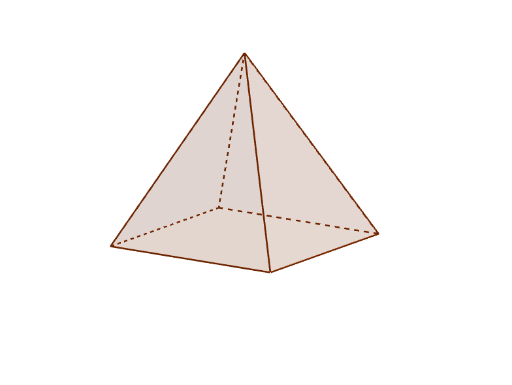
This example demonstrates the changing cross-sectional shapes of a pyramid as it intersects with various planes. Core math concepts include solid geometry, cross-section geometry, equation solving, and perimeter calculation. It utilizes GeoGebra commands like Intersect, Point, Pyramid, and IntersectPath, focusing on geometric constructions and interactive exploration. Suitable for high school geometry education, helping students understand the relationship between cross-sections and original solids.
GeoGebra Commands & Parameters
Intersect(yAxis, xAxis) → APoint(xAxis) → BPoint(yAxis) → DPyramid(A, B, C, D, E) → a, faceABCD, edgeAE, edgeBE, edgeCE, edgeDE, faceABE, faceBCE, faceCDE, faceADE, edgeAB, edgeBC, edgeCD, edgeADIntersectPath(b, a) → poly1, F, G, H, I, f, g, h, iIntersectPath(c, a) → poly2, J, K, L, M, j, m, n, p
AI Drawing Prompt Reference
Draw a four-sided pyramid with its base on the coordinate plane and its apex above. Place two distinct planes that intersect the pyramid, each producing a polygonal cross-section. The intersection of each plane with the pyramid's faces and base creates a set of points that connect to form closed sectional outlines. Show how the cross-sectional shape changes with the plane's orientation, emphasizing the relationship between the section and the original solid. Include the pyramid's edges, faces, and the boundary lines of both cross-sections, presenting a clear 3D geometric construction.
The prompt above was compiled from the original drawing commands and is for reference only.