
Properties of Parallelogram & Rhombus
Loading the math board and drawing, please wait…
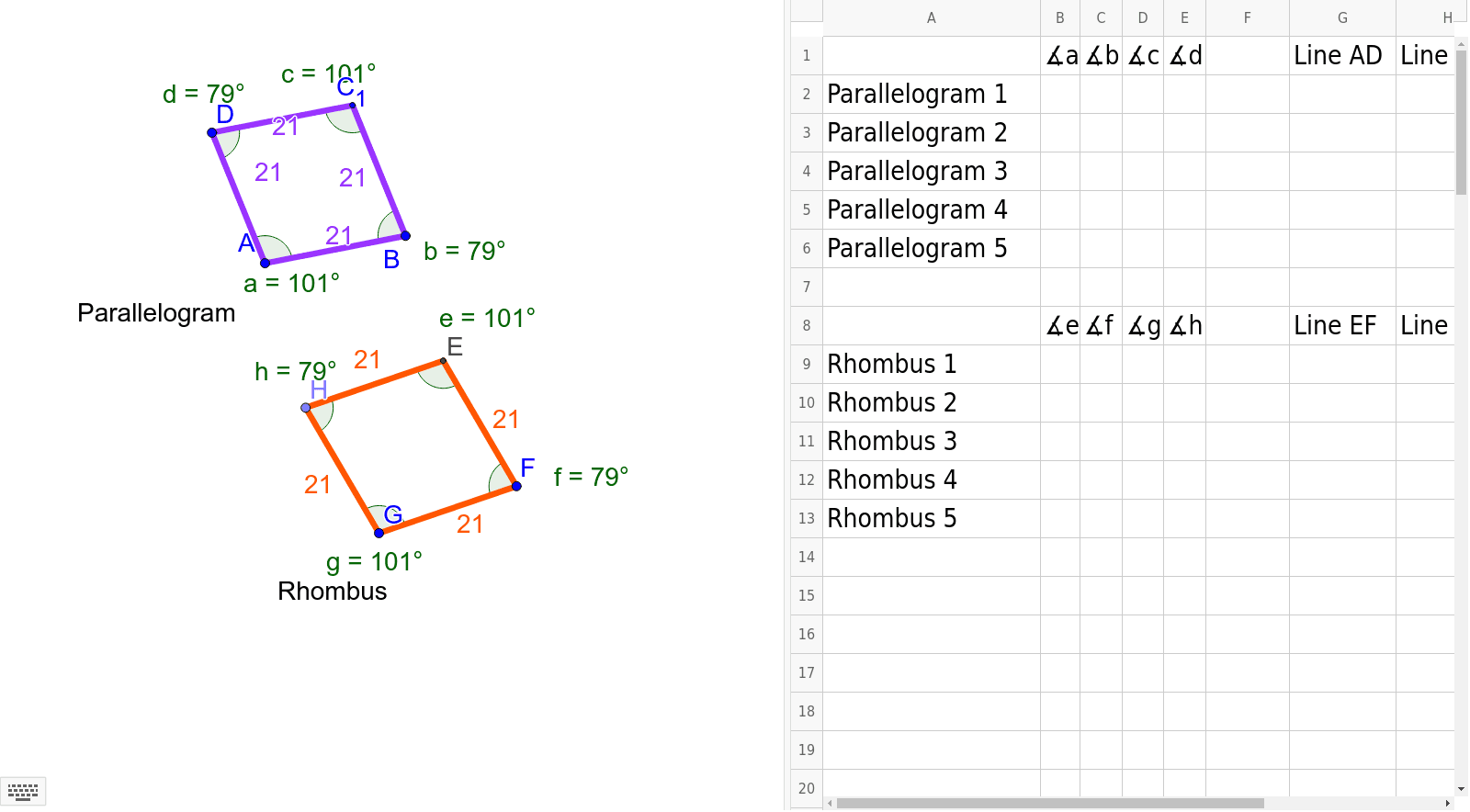
①This GeoGebra example dynamically demonstrates the key properties of parallelograms and rhombuses, including side lengths, angles, and diagonal behaviors, with additional connections to parabolas and isosceles triangles. ②Core mathematical concepts covered: opposite sides parallel and equal, opposite angles equal, diagonals bisect each other in a parallelogram; in a rhombus, all sides equal, diagonals perpendicular and bisect each other, and diagonals bisect the angles. ③Construction details: Based on the summary, the construction uses GeoGebra commands such as Line, Intersect, Segment, Angle, Circle, Point, and Distance, creating numerous points (A, B, D, C1, G, F, H, E, etc.) and lines/segments (a, b, c, d, e, f, g, h, etc.), with a list (list1) to organize elements, allowing dynamic manipulation and verification. ④This resource is suitable for middle and high school geometry classes, useful for classroom demonstrations, student exploration, and exercise support, helping learners generalize the properties and criteria of parallelograms and rhombuses through dynamic observation.
GeoGebra Commands & Parameters
Line(A, B) → a_1Line(D, a_1) → c_1Line(A, D) → d_1Line(B, d_1) → e_1Intersect(c_1, e_1) → C_1Segment(A, D) → f_1Segment(D, C_1) → g_1Segment(C_1, B) → h_1Segment(B, A) → iAngle(C_1, D, A) → dAngle(D, C_1, B) → cAngle(C_1, B, A) → bAngle(D, A, B) → aSegment(G, F) → e_2Circle(G, F) → g_2Point(g_2) → HSegment(H, G) → jLine(H, e_2) → kLine(F, j) → lIntersect(k, l) → ESegment(H, E) → mSegment(E, F) → nAngle(H, E, F) → eAngle(E, H, G) → hAngle(H, G, F) → gAngle(E, F, G) → fDistance(A, D) → AD_1