
Proper Fractions Demo
Loading the math board and drawing, please wait…
In collections
Fractions الكسور
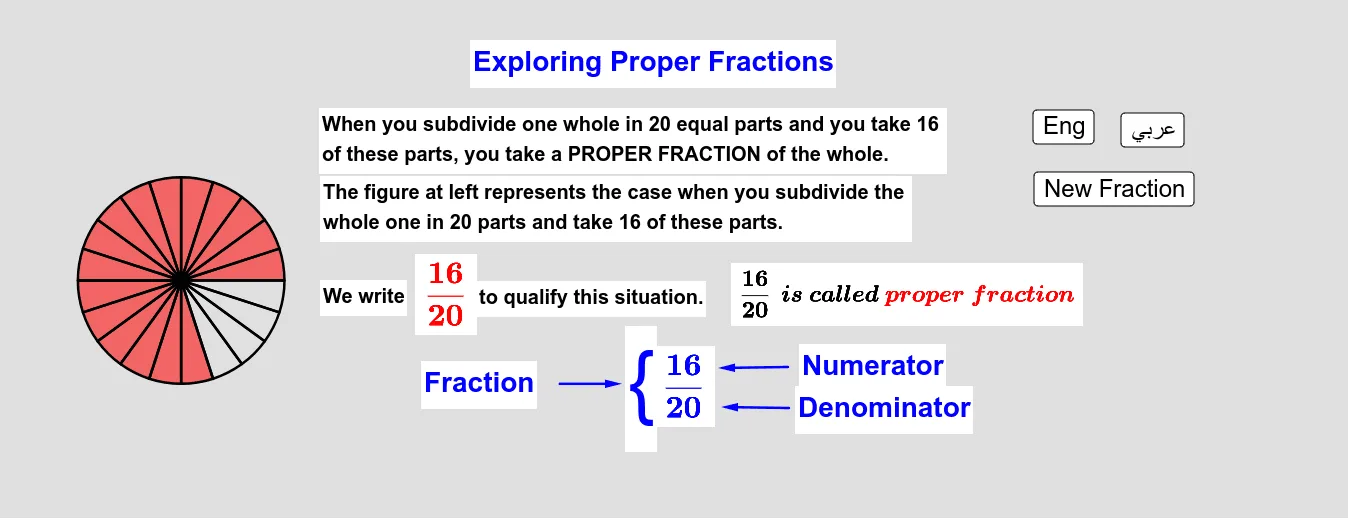
This example demonstrates proper fractions through geometric representation, visualizing fraction sizes by generating random points and sectors within a circle. Key math concepts include proper fractions, circle area, random number generation, and vector operations. GeoGebra commands like Random, Append, Circle, Sequence, and Vector are used in construction. Suitable for middle school and above, illustrating the intersection of fractions, geometry, and probability & statistics.
GeoGebra Commands & Parameters
Random(1, 25) → nAppend(A, Sequence[Rotate[A, ((k * 2) * π / n), O], k, 1, n]) → PointsCircle(O, 3) → cRandom(1, n) → mSequence(Sector[c, Element[Points, k], Element[Points, k + 1]], k, 1, m) → PartSectorsSequence(Sector[c, Element[Points, k], Element[Points, k + 1]], k, 1, n) → AllSectorsVector(B, C) → uVector(D, E) → vVector(F, G) → w
AI Drawing Prompt Reference
Draw a circle with a radius of 3, and randomly generate 25 points inside it. Then, use these points as vertices to create sectors by randomly selecting some of them. Finally, construct vectors using these points.
The prompt above was compiled from the original drawing commands and is for reference only.